Introduction
I'll be analyzing why Prime Music playlists aren't syncing for 40% of users - a critical issue that directly impacts core functionality and user experience. My approach will systematically identify potential root causes, validate hypotheses with data, and develop both immediate fixes and long-term solutions to restore playlist syncing functionality.
This analysis follows a structured approach covering issue identification, hypothesis generation, validation, and solution development to resolve the Prime Music playlist syncing failure.
Step 1
Clarifying Questions (3 minutes)
- Why it matters: This helps determine if we're dealing with a specific deployment issue or a gradual degradation.
- Expected answer: Sudden spike following a recent deployment.
- Impact on approach: A sudden spike would point to recent changes, while gradual would suggest cumulative technical debt.
- Why it matters: Platform-specific issues require targeted technical solutions.
- Expected answer: Predominantly affecting mobile platforms, especially Android.
- Impact on approach: Platform concentration would narrow our technical investigation significantly.
- Why it matters: Different failure patterns suggest different underlying causes.
- Expected answer: Most affected users see playlists start syncing but never complete.
- Impact on approach: This would point to timeout issues rather than authentication problems.
- Why it matters: Recent changes are often the most likely culprits.
- Expected answer: Yes, we migrated some playlist data to a new storage system.
- Impact on approach: Would immediately focus investigation on that migration.
- Why it matters: Sometimes metrics problems masquerade as product problems.
- Expected answer: No changes to measurement methodology.
- Impact on approach: Would rule out false alarms and focus on actual user experience issues.
Step 2
Rule Out Basic External Factors (3 minutes)
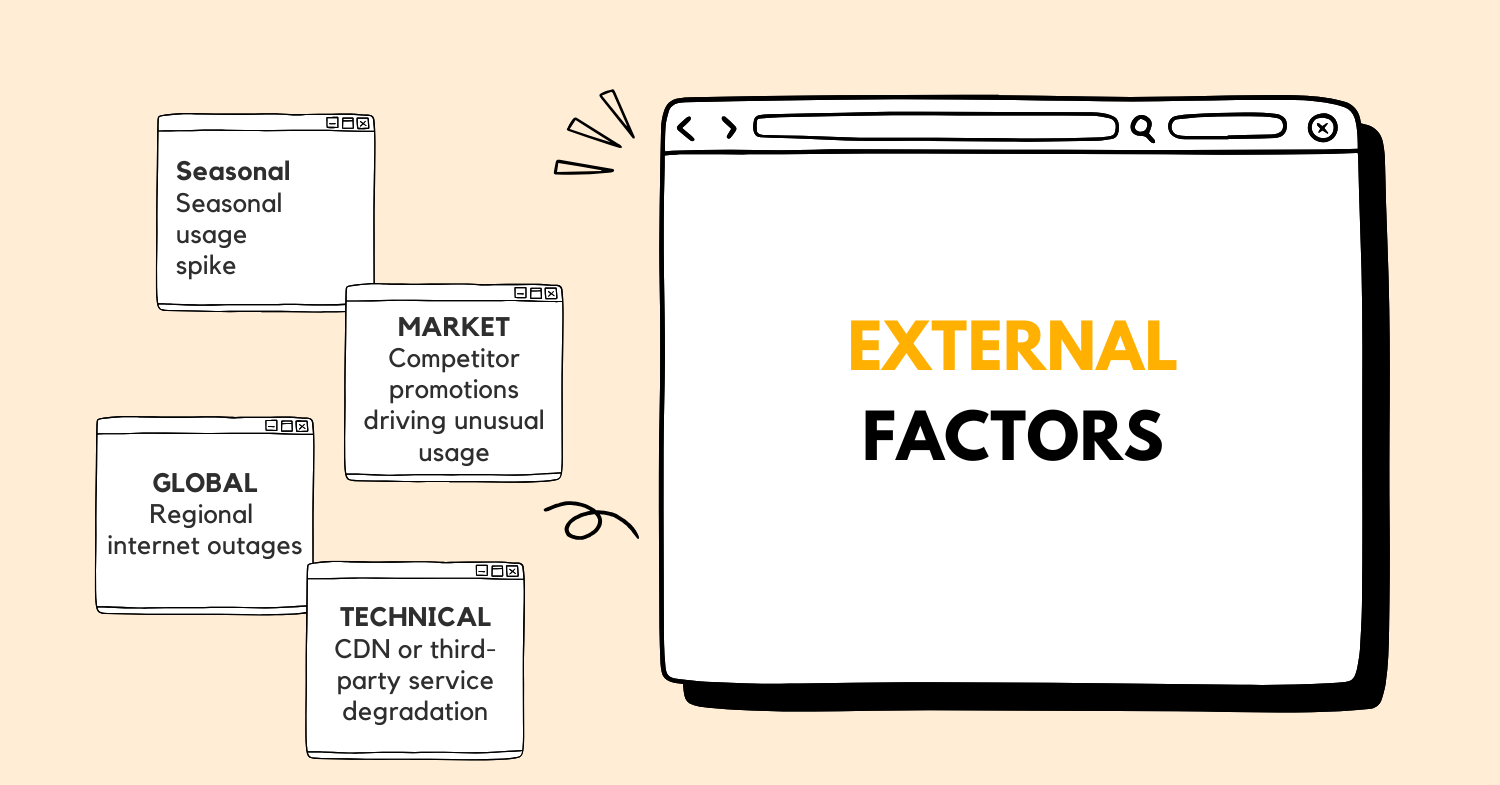 Let's quickly assess external factors that might be causing the playlist syncing issues:
| Category | Factors | Impact Assessment | Status |
|---|---|---|---|
| Natural | Seasonal usage spikes | Low - Music streaming typically has predictable patterns | Rule out |
| Market | Competitor promotions driving unusual usage | Low - Would affect new user acquisition, not existing user functionality | Rule out |
| Global | Regional internet outages | Medium - Could affect specific geographic segments | Consider if geographically concentrated |
| Technical | CDN or third-party service degradation | High - Could directly impact sync capabilities | Consider if error patterns align |
The 40% failure rate is too significant and specific to be explained by seasonal trends or competitor actions. While regional internet issues could contribute, they typically don't affect such a large percentage uniformly. Third-party dependencies like CDNs could be relevant, but we'd expect to see impacts across other features too, not just playlist syncing.
Given the specific nature of the issue (playlist syncing) and the substantial percentage affected (40%), we should focus on internal technical and product factors rather than external causes.
Step 3
Product Understanding and User Journey (3 minutes)
Prime Music's playlist syncing feature allows users to access their music collections across multiple devices. The core value proposition is seamless music access anywhere, which directly impacts user satisfaction and engagement metrics.
A typical playlist sync journey involves:
- User creates/modifies a playlist on one device
- The client app sends changes to Prime Music's backend services
- Backend validates and stores the changes in the playlist database
- Other devices poll for updates or receive push notifications
- Those devices download the updated playlist data
- Local databases on each device are updated with the new information
This process involves multiple systems: client apps, authentication services, playlist metadata services, content delivery networks, and notification systems. The 40% sync failure indicates a breakdown in this chain.
Edge cases that could disrupt this flow include:
- Users with extremely large playlists
- Syncing while switching between WiFi and cellular networks
- Concurrent modifications from multiple devices
- Syncing with limited storage on the device
The playlist syncing feature is fundamental to the Prime Music experience - users expect their music to follow them across devices. Failures here directly impact core functionality and perceived reliability of the service.
Step 4
Metric Breakdown (3 minutes)
Let's define and break down the "playlist not syncing" metric precisely:
The 60% success/40% failure rate could be affected by:
- Authentication issues preventing sync initiation
- Network transmission problems during sync
- Backend service failures processing sync requests
- Client-side storage or processing issues
- Data validation failures between versions
Segmenting this data would be crucial across:
- Device types (mobile vs. desktop, iOS vs. Android)
- Network conditions (WiFi vs. cellular)
- Playlist characteristics (size, content types)
- User account types (free vs. premium)
- Geographic regions
Working with engineering and data science teams would help ensure we're measuring sync failures accurately and consistently across platforms, distinguishing between different failure modes in our metrics.
Step 5
Data Gathering and Prioritization (3 minutes)
Here's the data I'd request to investigate the playlist syncing issue:
| Data Type | Purpose | Priority | Source |
|---|---|---|---|
| Error Logs | Identify specific failure points in the sync process | High | Backend Services & Client Apps |
| Sync Attempt Metrics | Quantify success rates across segments | High | Analytics Platform |
| Network Performance | Assess if timeouts or bandwidth issues are factors | Medium | CDN & Network Monitoring |
| User Feedback | Understand user-reported symptoms | Medium | Customer Support & App Reviews |
| Server Performance | Check if backend resources are constrained | High | Infrastructure Monitoring |
| Recent Deployments | Correlate issues with code or config changes | High | Deployment Systems |
| Device/OS Distribution | Identify if specific platforms are more affected | Medium | Analytics Platform |
| Database Performance | Check if data storage is bottlenecked | High | Database Monitoring |
I'm prioritizing error logs and server performance metrics highest because they'll likely reveal the technical failure points most directly. Recent deployment data is crucial to establish if this correlates with specific changes. User feedback provides context but may be less precise for diagnosing the root cause.
For validation, I'd cross-reference metrics from multiple systems to ensure consistency and rule out measurement errors.
Step 6
Hypothesis Formation (6 minutes)
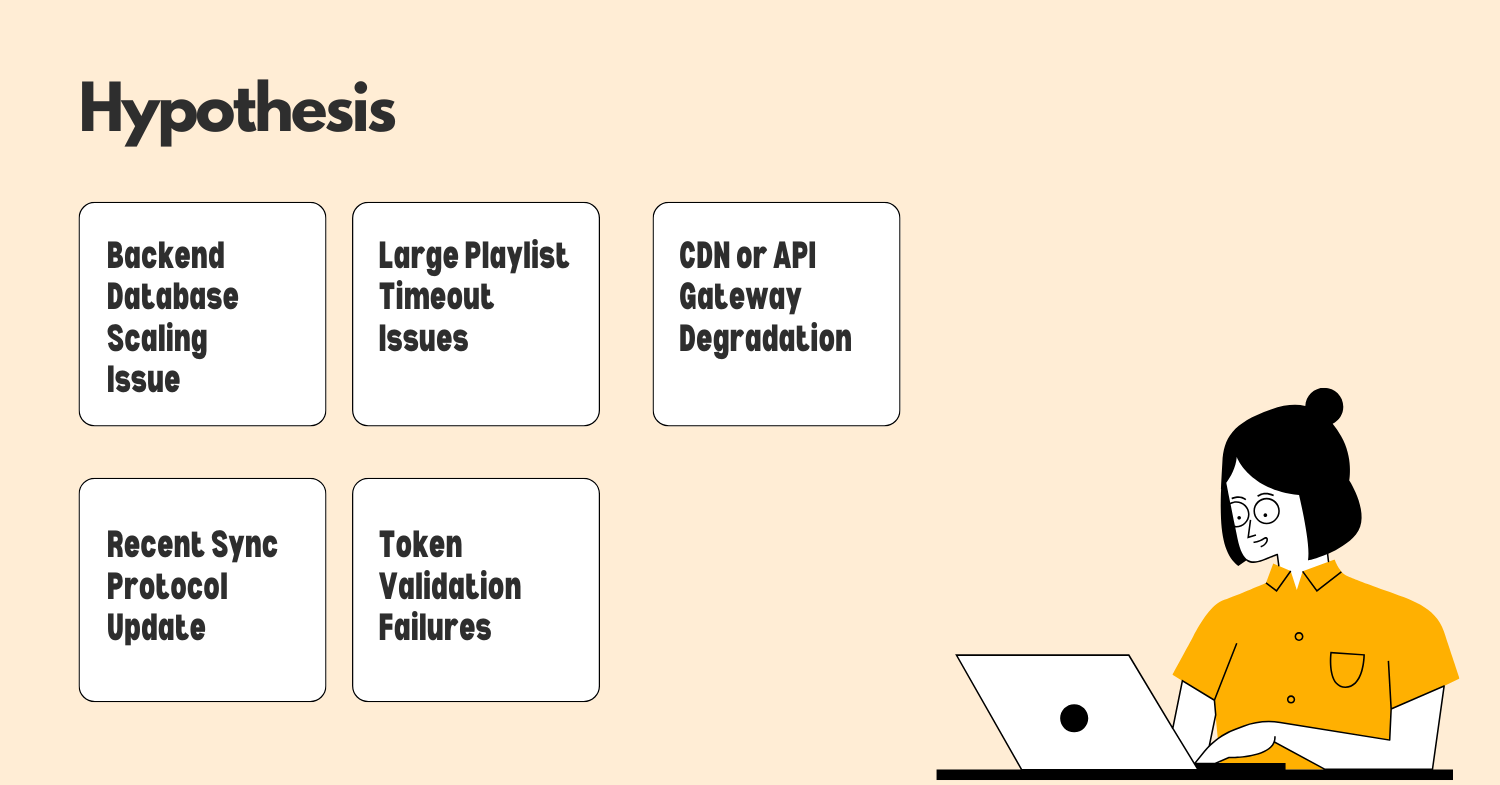 Based on the information available, here are my key hypotheses for why 40% of Prime Music users are experiencing playlist sync failures:
-
Technical Hypothesis: Backend Database Scaling Issue
- Evidence points: The 40% failure rate suggests a systemic backend issue rather than client-specific problems
- Impact assessment: High - Would directly prevent successful playlist data retrieval
- Validation approach: Check database connection pools, query performance metrics, and error rates
-
User Behavior Hypothesis: Large Playlist Timeout Issues
- Evidence points: Users with extensive music libraries might hit timeout thresholds
- Impact assessment: Medium - Would explain why some users consistently have problems
- Validation approach: Correlate sync failures with playlist sizes and complexity
-
Product Change Hypothesis: Recent Sync Protocol Update
- Evidence points: If we recently modified how playlists sync to improve performance
- Impact assessment: High - Could explain widespread but not universal failures
- Validation approach: Compare failure rates before and after the deployment
-
Authentication Hypothesis: Token Validation Failures
- Evidence points: If sync processes are failing at the authentication stage
- Impact assessment: High - Would prevent the sync process from even starting
- Validation approach: Analyze authentication service logs for correlation with sync failures
-
Network Hypothesis: CDN or API Gateway Degradation
- Evidence points: If content delivery or API gateway services are throttling requests
- Impact assessment: Medium-High - Would cause intermittent or slow syncs
- Validation approach: Check CDN performance metrics and API gateway logs
Based on the 40% failure rate and the critical nature of playlist syncing, I'd prioritize investigating the backend database scaling and recent sync protocol update hypotheses first, as they align best with a widespread but not universal failure pattern.
Step 7
Root Cause Analysis (5 minutes)
Applying the "5 Whys" technique to our most promising hypotheses:
Backend Database Scaling Issue:
- Why are playlists not syncing? Because the sync requests are timing out.
- Why are sync requests timing out? Because database queries are taking too long.
- Why are database queries taking too long? Because the connection pool is exhausted.
- Why is the connection pool exhausted? Because we're handling more concurrent sync requests than anticipated.
- Why are there more concurrent requests? Because a recent feature encouraged users to create more playlists, increasing sync demand.
Recent Sync Protocol Update:
- Why are playlists not syncing? Because the sync process is failing mid-transfer.
- Why is it failing mid-transfer? Because the new protocol has stricter validation requirements.
- Why are validations failing? Because some playlist data doesn't meet the new schema requirements.
- Why doesn't the data meet requirements? Because the migration script didn't update all historical data.
- Why didn't the migration update all data? Because edge cases in older playlists weren't accounted for in testing.
Authentication Token Validation:
- Why are playlists not syncing? Because authentication is failing during sync.
- Why is authentication failing? Because tokens are being rejected.
- Why are tokens being rejected? Because token lifetimes were recently shortened.
- Why is this affecting sync specifically? Because sync processes often run in the background when tokens expire.
- Why wasn't this caught? Because testing focused on active user sessions, not background processes.
Large Playlist Timeout:
- Why are playlists not syncing? Because sync operations are timing out.
- Why are they timing out? Because some operations take longer than the timeout threshold.
- Why do they exceed thresholds? Because playlist sizes have grown over time.
- Why is this affecting 40% of users? Because approximately that percentage have playlists above a certain size.
- Why wasn't this anticipated? Because timeout thresholds weren't adjusted as playlist usage patterns evolved.
Based on the 40% failure rate and the nature of playlist syncing, the most likely root cause appears to be the database scaling issue or the sync protocol update. Both could explain the widespread but not universal nature of the problem. The database issue seems particularly likely if we've seen growth in playlist creation and usage, which would put pressure on our backend systems.
Step 8
Validation and Next Steps (5 minutes)
To validate our hypotheses and move toward resolution:
| Hypothesis | Validation Method | Success Criteria | Timeline |
|---|---|---|---|
| Database Scaling | Monitor connection pools, query times, and database load | Identify correlation between high load and sync failures | 4-8 hours |
| Sync Protocol Update | Compare failure rates before/after deployment; check error logs for validation failures | Clear pattern of specific validation errors | 2-4 hours |
| Authentication Issues | Analyze token rejection rates during sync operations | Correlation between token failures and sync issues | 4-6 hours |
| Large Playlist Timeout | Compare sync success rates against playlist sizes | Clear threshold where failures increase | 6-8 hours |
Immediate actions:
- Increase database connection pool size if at capacity (2-4 hours)
- Extend timeout thresholds for sync operations temporarily (1-2 hours)
- Roll back recent sync protocol changes if strongly correlated (4-6 hours)
- Implement server-side logging to capture detailed sync failure points (2-3 hours)
Short-term solutions:
- Optimize database queries for playlist sync operations (2-3 days)
- Implement progressive sync for large playlists to prevent timeouts (3-4 days)
- Fix data migration scripts to handle edge cases (1-2 days)
- Add circuit breakers to prevent cascading failures (2 days)
Long-term strategies:
- Redesign playlist sync architecture for better scalability (2-3 weeks)
- Implement more comprehensive pre-deployment testing for sync operations (ongoing)
- Create automated monitoring specifically for playlist sync health (1-2 weeks)
- Develop performance benchmarks for different playlist sizes and sync scenarios (2 weeks)
The success of these solutions would be measured by:
- Reduction in sync failure rate from 40% toward our target of <1%
- Decreased latency in successful sync operations
- Improved stability during usage spikes
- Positive user feedback regarding sync reliability
Step 9
Decision Framework (3 minutes)
Here's my decision framework for addressing the root cause:
| Validation Outcome | Primary Action | Alternative Action |
|---|---|---|
| Database connection pool exhaustion confirmed | Increase connection pool size immediately; implement connection pooling optimization | Temporarily reduce sync frequency; implement request queuing |
| Sync protocol validation errors identified | Roll back protocol changes; fix migration script | Implement compatibility layer for old data formats |
| Authentication token lifecycle issues confirmed | Extend token lifetime for background operations | Implement automatic token refresh for sync processes |
| Large playlist timeout correlation found | Increase timeout thresholds; implement progressive sync | Add size limits with user notifications |
| Multiple factors contributing | Address database issues first, then implement progressive sync | Form tiger team to address all issues in parallel |
This framework provides clear direction based on our findings while maintaining flexibility. If we discover the issue is more complex than anticipated, we can pivot quickly while still addressing the most critical aspects first.
Step 10
Resolution Plan (2 minutes)
-
Immediate Actions (24-48 hours)
- Increase database connection pool by 50% to handle sync load
- Implement emergency logging to capture detailed failure points
- Communicate to users that we're aware of sync issues via app notification
- Set up real-time monitoring dashboard for playlist sync success rates
-
Short-term Solutions (1-2 weeks)
- Optimize database queries for playlist operations
- Implement progressive sync for large playlists
- Fix data migration scripts for edge cases
- Add retry logic with exponential backoff for failed syncs
- Conduct A/B test of sync protocol improvements
-
Long-term Prevention (1-3 months)
- Redesign playlist sync architecture for horizontal scaling
- Implement comprehensive sync testing suite
- Create automated performance testing for various playlist sizes
- Develop early warning system for sync degradation
- Document lessons learned and update playbook for similar issues
This plan addresses not just the immediate playlist syncing issue but strengthens our overall sync infrastructure. It considers implications for related features like offline listening and collaborative playlists, which rely on similar synchronization mechanisms. The improvements will also benefit our broader product ecosystem by establishing more robust patterns for data synchronization across all Prime services.
.png)