
Introduction
I'll analyze this Google Drive sync time increase from 30 seconds to 3 minutes by systematically identifying potential causes and solutions. This significant performance degradation requires careful investigation across technical, user, and product dimensions to determine why sync operations now take six times longer than before.
I'll approach this by first clarifying the exact nature of the problem, then systematically exploring potential causes from multiple angles before determining the most likely root cause and appropriate remediation steps.
This analysis follows a structured approach covering issue identification, hypothesis generation, validation, and solution development to address the Google Drive sync time degradation.
Step 1
Clarifying Questions (3 minutes)
- Why it matters: A global issue suggests infrastructure or code-level problems, while regional issues might point to CDN or data center problems.
- Expected answer: Global issue affecting most users
- Impact on approach: If global, I'd focus on core infrastructure; if regional, I'd investigate regional network or data center issues.
- Why it matters: Sudden changes often correlate with specific deployments or infrastructure changes, while gradual degradation might indicate scaling issues.
- Expected answer: Sudden change noticed after a recent deployment
- Impact on approach: A sudden change would lead me to investigate recent code or infrastructure changes; gradual would suggest capacity or scaling issues.
Why it matters: Changes in usage patterns could explain performance degradation if the system wasn't designed to handle larger files or volumes. Expected answer: No significant change in file characteristics Impact on approach: If usage patterns changed, I'd focus on optimizing for new patterns; if not, I'd look elsewhere.
- Why it matters: Recent deployments are often the most direct cause of sudden performance changes.
- Expected answer: Yes, there was a recent backend deployment
- Impact on approach: If yes, I'd focus on rollback considerations and code review; if no, I'd broaden my investigation to infrastructure or external factors.
- Why it matters: Sometimes what appears to be a product issue is actually a measurement anomaly.
- Expected answer: Measurement methodology has remained consistent
- Impact on approach: If measurement changed, I'd validate the new methodology; if consistent, I'd accept the data as accurate.
Step 2
Rule Out Basic External Factors (3 minutes)
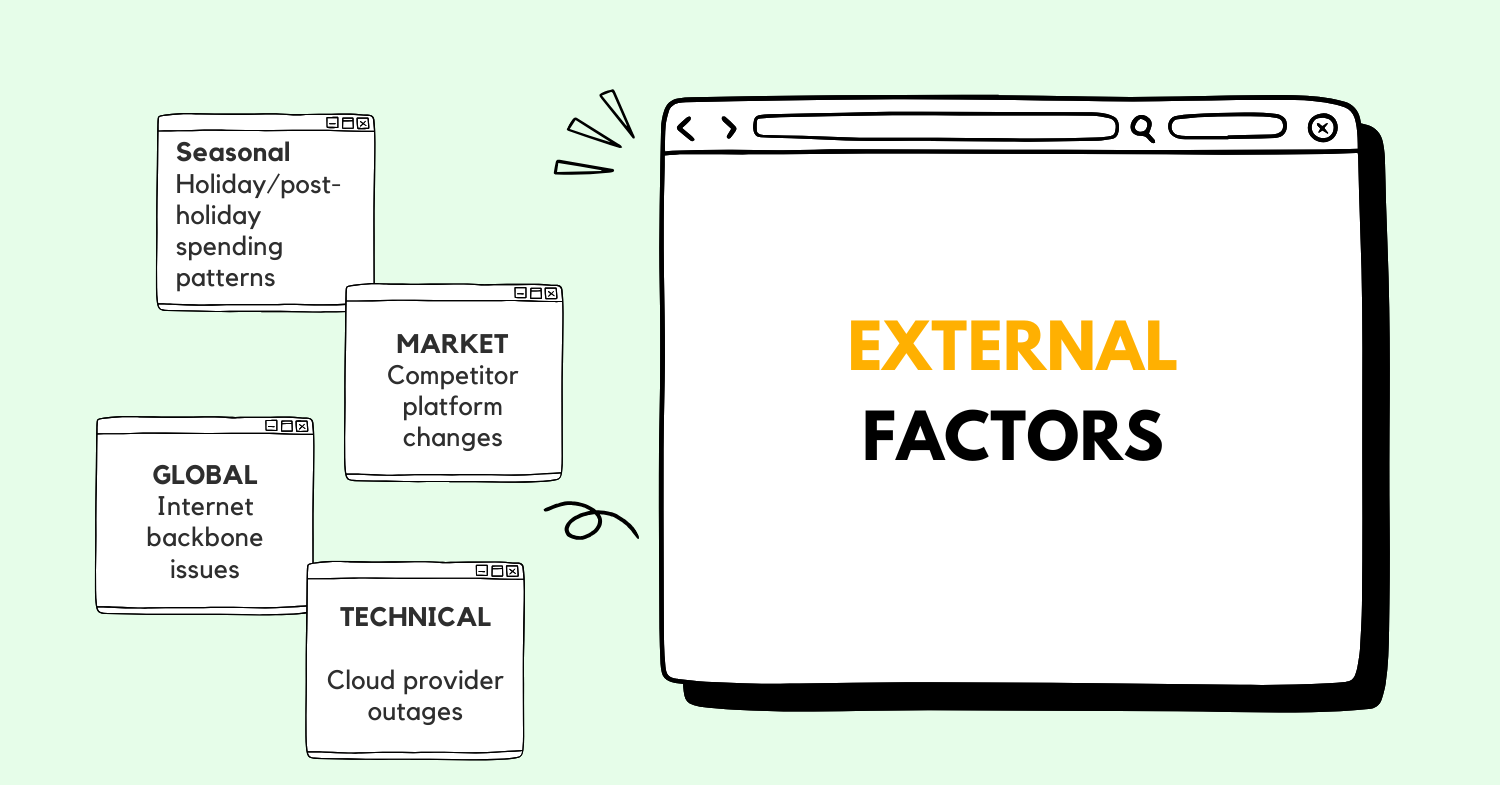
Before diving deeper, let's quickly assess potential external causes that might explain this sync time increase:
| Category | Factors | Impact Assessment | Status |
|---|---|---|---|
| Natural | Seasonal usage spikes | Low - Google's infrastructure should handle seasonal variations | Rule out |
| Market | Competitor actions forcing changes | Low - Unlikely to directly affect sync performance | Rule out |
| Global | Internet backbone issues | Medium - Could affect global sync performance | Consider |
| Technical | Cloud provider outages | High - Could directly impact sync performance | Consider |
The significant magnitude (6x slowdown) and presumably consistent nature of the issue make most external factors unlikely culprits. While internet backbone issues or cloud provider problems could potentially cause such degradation, Google's multi-region redundancy and failover capabilities should mitigate these issues.
I'm inclined to rule out most external factors and focus on internal technical or product changes as the most likely causes, particularly given Google's control over its infrastructure and the specificity of the performance degradation.
Step 3
Product Understanding and User Journey (3 minutes)
Google Drive is a cloud storage and synchronization service that allows users to store files, synchronize files across devices, and share files with others. The core value proposition is seamless access to your files from anywhere, on any device, with reliable synchronization.
A typical sync journey for Google Drive:
- User creates or modifies a file on their local device
- The Google Drive client detects the change through file system monitoring
- Client calculates file differences (for modifications) or prepares new file
- Client authenticates with Google servers
- Client uploads the changed data through Google's API
- Server processes the upload, updates metadata, and confirms receipt
- Server propagates changes to other devices where the user is signed in
- Other devices download the changes and update their local copies
The sync time metric is critical because it directly impacts the core user value proposition of Google Drive. Users expect near-real-time synchronization of their files across devices. A 6x increase in sync time significantly degrades this experience, potentially causing user frustration, reduced trust in the service, and ultimately could lead to churn if users can't rely on timely file availability across their devices.
Edge cases that could be particularly affected include:
- Collaborative workflows where multiple users need immediate access to changes
- Time-sensitive document workflows (e.g., last-minute presentation edits)
- Large file synchronization for media professionals
- Users in regions with already constrained bandwidth
Step 4
Metric Breakdown (3 minutes)
Let's precisely define and break down the "sync time" metric in the context of Google Drive:
Sync time refers to the total elapsed time from when a file change is detected locally until that change is fully synchronized to Google's servers and available to other devices. This end-to-end metric encompasses multiple components:
Each of these components could contribute to the increased sync time. For example:
- If change detection is slower, the sync process starts later
- If pre-processing is taking longer (perhaps due to larger files or more complex diffs)
- If network transfer is slower (bandwidth constraints, API throttling)
- If server processing is delayed (backend bottlenecks, database contention)
- If confirmation mechanisms have changed or are delayed
To properly analyze this issue, we need to segment the data by:
- File types and sizes
- User locations and network conditions
- Client types (desktop vs. mobile)
- Authentication methods
- Time of day patterns
Step 5
Data Gathering and Prioritization (3 minutes)
To investigate this sync time increase effectively, I would request the following data:
| Data Type | Purpose | Priority | Source |
|---|---|---|---|
| Sync Time Component Breakdown | Identify which specific part of the sync process is causing delays | High | Telemetry System |
| Server-side Logs | Identify backend bottlenecks or errors | High | Backend Logging |
| Client-side Logs | Identify client-side processing delays | High | Client Telemetry |
| Recent Deployment History | Correlate changes with performance degradation | High | Deployment System |
| Network Transfer Metrics | Assess if bandwidth or latency issues are factors | Medium | Network Monitoring |
| User Segmentation Analysis | Determine if issue affects specific user segments | Medium | Analytics Platform |
| Infrastructure Metrics | CPU, memory, disk I/O, and network utilization | Medium | Infrastructure Monitoring |
| Database Performance Metrics | Query times, lock contention, index performance | Medium | Database Monitoring |
| Error Rate Changes | Identify if retries or failures are contributing | Medium | Error Tracking System |
| User Feedback/Support Tickets | Qualitative insights about the issue | Low | Support System |
I'm prioritizing component-level telemetry data highest because it will immediately narrow down which part of the sync pipeline is causing the slowdown. Server and client logs are also critical as they'll reveal specific errors or bottlenecks. Deployment history is essential to correlate the timing of changes with the performance degradation.
For data validation, I'd ensure we're comparing apples-to-apples by confirming the measurement methodology hasn't changed and that we're looking at comparable user cohorts and file types across time periods.
Step 6
Hypothesis Formation (6 minutes)
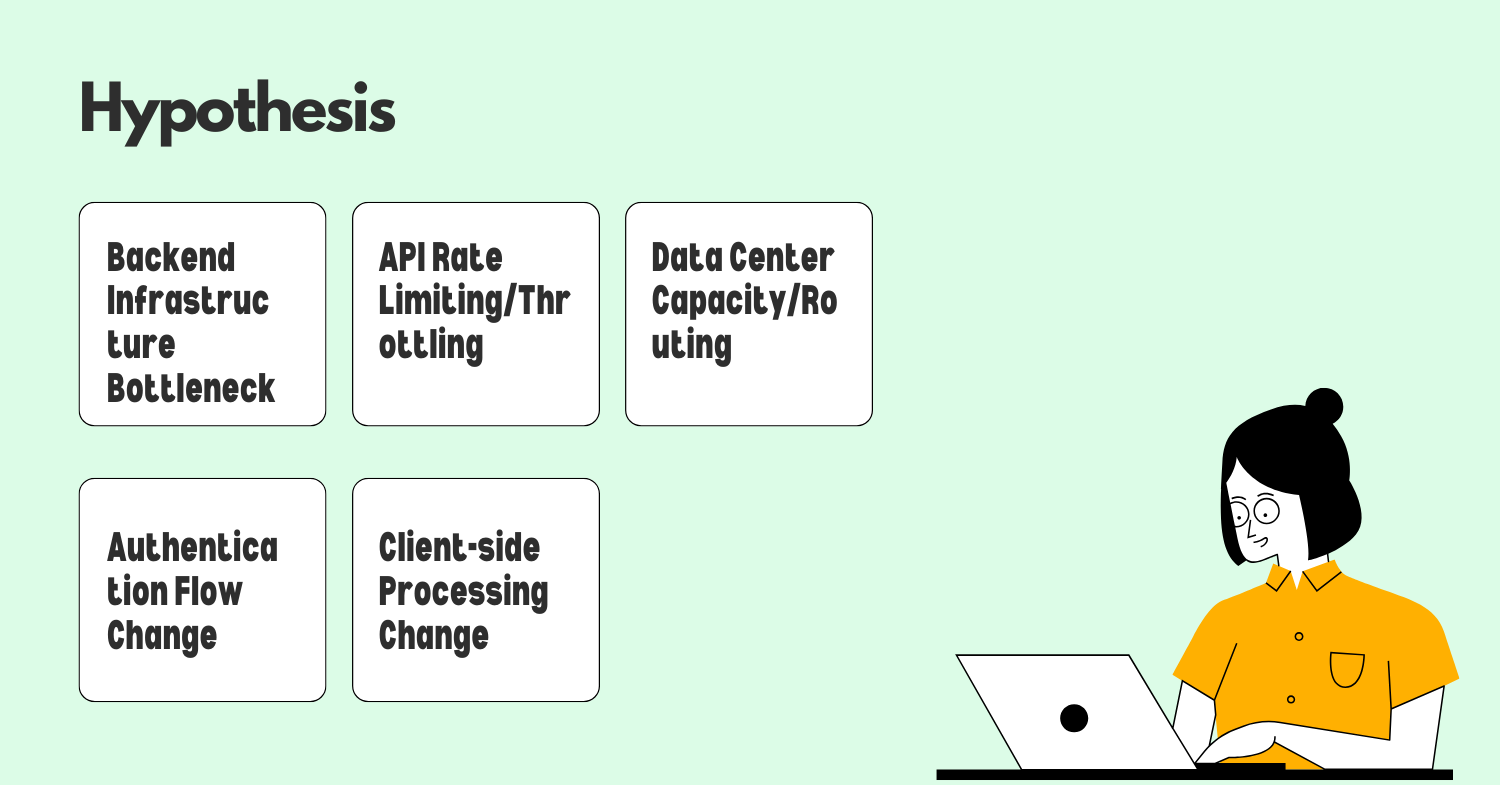 Based on my understanding of cloud storage systems and sync mechanisms, here are my primary hypotheses for the Google Drive sync time increase:
-
Backend Infrastructure Bottleneck Hypothesis
- Evidence points: Consistent slowdown across users regardless of file type or size
- Impact assessment: High - Would explain uniform degradation
- Validation approach: Analyze server-side metrics for CPU, memory, disk I/O bottlenecks; check for database contention
-
API Rate Limiting/Throttling Hypothesis
- Evidence points: Recent changes to API rate limits or throttling policies to reduce infrastructure costs
- Impact assessment: High - Would directly impact sync times
- Validation approach: Review recent policy changes, check API response headers for throttling indicators
-
Authentication Flow Change Hypothesis
- Evidence points: Increased security measures adding verification steps
- Impact assessment: Medium - Could add overhead to each sync operation
- Validation approach: Compare authentication flow timing before and after slowdown
-
Client-side Processing Change Hypothesis
- Evidence points: Recent client update coinciding with slowdown
- Impact assessment: High - New preprocessing steps could add significant time
- Validation approach: Compare client-side processing metrics before/after, test with previous client version
-
Data Center Capacity/Routing Hypothesis
- Evidence points: Potential data center maintenance or capacity issues
- Impact assessment: Medium - Could explain widespread but potentially regional patterns
- Validation approach: Analyze performance by region and data center
I'm prioritizing the Backend Infrastructure and API Rate Limiting hypotheses as most likely because:
- They would explain a consistent degradation across users
- They align with common patterns in cloud service performance issues
- They're often introduced through backend deployments that might not be fully tested under production load
The client-side hypothesis is also compelling if there was a recent client update, as client-side changes can sometimes have unexpected performance implications when deployed at scale.
Step 7
Root Cause Analysis (5 minutes)
Let's apply the "5 Whys" technique to our top hypotheses:
Backend Infrastructure Bottleneck Hypothesis:
- Why did sync time increase? Because the backend is taking longer to process sync requests.
- Why is the backend taking longer? Because there's likely resource contention or capacity constraints.
- Why are there resource constraints? Because either demand increased or available resources decreased.
- Why would available resources decrease? Because of potential infrastructure changes, misconfigurations, or resource allocation changes.
- Why would these changes occur? Because of recent optimization efforts, cost-cutting measures, or deployment of new features that consume more resources.
This suggests investigating recent infrastructure changes, particularly around resource allocation or new feature deployments that might be consuming more resources than expected.
API Rate Limiting Hypothesis:
- Why did sync time increase? Because API requests are being throttled or queued.
- Why are requests being throttled? Because rate limits were likely implemented or tightened.
- Why would rate limits change? Because of efforts to control costs, reduce system load, or prevent abuse.
- Why implement these changes now? Because of recent cost optimization initiatives or response to system stability issues.
- Why weren't the impacts anticipated? Because testing may not have accurately modeled real-world sync patterns or user behavior.
This points to investigating recent API policy changes, particularly around rate limiting or request throttling.
Client-side Processing Change Hypothesis:
- Why did sync time increase? Because the client is taking longer to prepare files for sync.
- Why is client preparation slower? Because new processing steps were likely added.
- Why add new processing steps? Because of new features, security enhancements, or optimization attempts.
- Why would these changes slow things down? Because they might be more computationally expensive or not optimized.
- Why weren't performance impacts caught? Because testing may have focused on functionality rather than performance at scale.
This suggests investigating recent client updates, particularly changes to file processing algorithms.
Based on my experience with cloud storage systems, I believe the most likely root cause is a combination of API rate limiting changes and backend resource constraints. These often go hand-in-hand, as rate limiting is frequently implemented in response to backend resource pressure. The consistent nature of the slowdown (exactly 6x slower) particularly suggests an intentional change to API throttling policies rather than an organic degradation, which would typically show more variable performance.
Step 8
Validation and Next Steps (5 minutes)
To validate our hypotheses and address the sync time increase, I propose the following approach:
| Hypothesis | Validation Method | Success Criteria | Timeline |
|---|---|---|---|
| API Rate Limiting | Review recent API configuration changes; Check for 429 responses or throttling headers | Identify specific rate limit changes correlating with slowdown | 1 day |
| Backend Infrastructure | Analyze resource utilization metrics; Review recent infrastructure changes | Identify resource bottlenecks or configuration changes | 1-2 days |
| Client Processing | A/B test with previous client version; Profile client-side processing | Determine if client version affects sync time | 2-3 days |
Immediate actions (24-48 hours):
- Implement server-side logging to precisely identify which component of the sync pipeline is causing delays
- Review recent deployments and configuration changes that coincide with the performance degradation
- If API throttling is confirmed, temporarily adjust limits to restore performance while proper capacity planning is conducted
- Communicate transparently with users about the issue and expected resolution timeline
Short-term solutions (1-2 weeks):
- Optimize the identified bottleneck component (API handling, database queries, etc.)
- Implement more granular monitoring for sync pipeline components
- Develop performance regression tests to catch similar issues before deployment
- Consider client-side optimizations to reduce server load if appropriate
Long-term strategies (1-3 months):
- Redesign sync architecture to better handle scale if needed
- Implement progressive throttling rather than fixed limits
- Develop more sophisticated load testing that better simulates real-world usage patterns
- Create automated alerts for performance degradations before they impact users
Potential risks and trade-offs:
- Increasing rate limits might improve user experience but could stress infrastructure
- Optimizing for speed might require additional infrastructure costs
- Client-side changes could improve server load but might increase client resource usage
Step 9
Decision Framework (3 minutes)
Here's a decision framework for addressing the root cause based on our validation findings:
| Condition | Action 1 | Action 2 |
|---|---|---|
| API rate limits confirmed as cause | Gradually increase limits while monitoring system health | Implement smarter throttling based on user priority and file importance |
| Backend resource constraints confirmed | Scale up constrained resources immediately | Optimize resource usage through code/query improvements |
| Client processing changes confirmed | Roll back problematic client changes | Optimize new processing algorithms while maintaining functionality |
| Multiple factors contributing | Address highest-impact factor first | Develop comprehensive plan addressing all factors with prioritization |
| No clear single cause identified | Implement distributed tracing across entire sync pipeline | Form cross-functional tiger team to investigate with daily progress reviews |
This framework provides clear direction based on validation outcomes while acknowledging that complex systems often have multiple contributing factors that need to be addressed holistically.
Step 10
Resolution Plan (2 minutes)
-
Immediate Actions (24-48 hours)
- Deploy enhanced logging across sync pipeline components
- Review and potentially revert recent API or infrastructure changes
- Implement temporary workarounds (e.g., adjusted rate limits) to restore performance
- Establish war room with representatives from client, API, and infrastructure teams
- Communicate transparently with users about the issue and investigation
-
Short-term Solutions (1-2 weeks)
- Implement optimizations for identified bottlenecks
- Deploy more granular monitoring and alerting
- Develop and run expanded performance regression tests
- Create dashboards specifically for sync performance components
- Document lessons learned and update deployment procedures
-
Long-term Prevention (1-3 months)
- Redesign components that proved to be bottlenecks
- Implement auto-scaling for components under pressure
- Develop more sophisticated load testing that better simulates real-world usage
- Create performance budgets for each component of the sync pipeline
- Establish regular performance reviews as part of the development cycle
This approach addresses the immediate user pain while building toward a more resilient system that can scale appropriately and detect performance issues before they impact users.
.png)