Introduction
I'll approach improving Gmail by first understanding its current position in the market, identifying key user segments and their pain points, and then developing targeted solutions that enhance the user experience while aligning with Google's broader ecosystem strategy. I'll structure my response around user needs, technological opportunities, and business objectives to ensure a comprehensive improvement plan.
Step 1
Clarifying Questions
- Why it matters: This determines whether we prioritize internal integration features or standalone capabilities.
- Expected answer: Both aspects matter, but with emphasis on Gmail's core functionality.
- Impact on approach: Would balance independent improvements with ecosystem integration.
- Why it matters: Different user segments have vastly different needs and usage patterns.
- Expected answer: Both segments matter, but personal users represent the largest user base.
- Impact on approach: Would need to balance power user features with maintaining simplicity for casual users.
- Why it matters: Helps identify where Gmail needs to defend its position versus where it can innovate.
- Expected answer: Traditional email competitors like Outlook, plus emerging threats from messaging platforms.
- Impact on approach: Would focus on both core email functionality and new communication paradigms.
- Why it matters: Directs our improvement efforts toward measurable business outcomes.
- Expected answer: User engagement metrics like time in app and feature utilization need improvement.
- Impact on approach: Would prioritize solutions that directly impact these metrics.
Before proceeding, I'd like to confirm that my understanding of the scope aligns with your expectations. Based on your responses, I'll focus my improvement strategy accordingly.
Step 2
User Segmentation
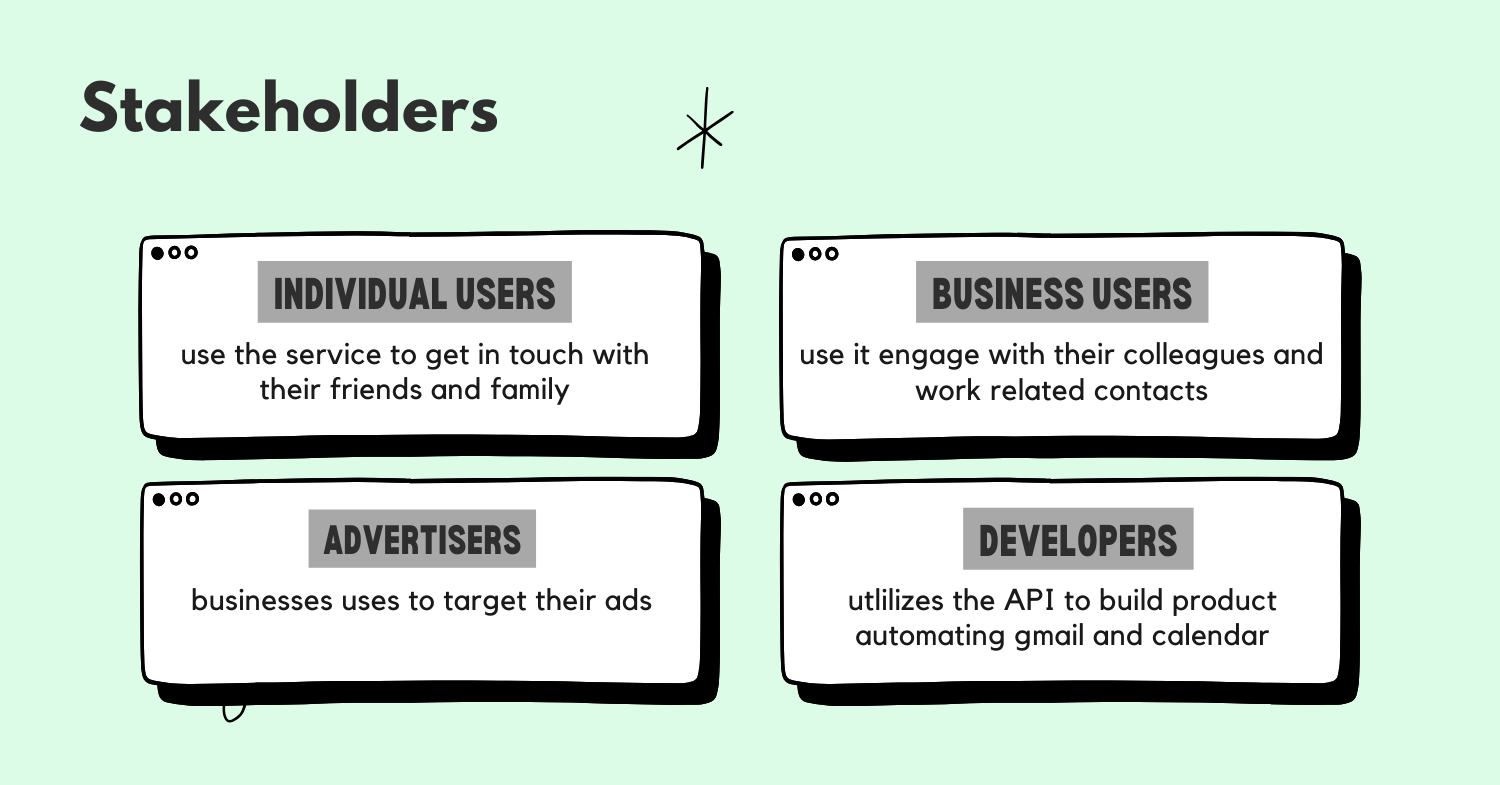
Key Stakeholders
Gmail serves several key stakeholder groups:
- Personal users (consumer segment)
- Business users (enterprise segment)
- Developers (API/integration partners)
- Advertisers (revenue partners)
For this analysis, I'll focus primarily on personal users as they represent Gmail's largest user base and are critical to Google's ecosystem strategy. Improvements for this segment often translate well to business users while maintaining Gmail's core value proposition.
Sub-segments
Within the personal user segment, I identify these key behavioral sub-segments:
- Power Users: Heavy email users who manage multiple accounts, use advanced features, and spend significant time in their inbox daily.
- Casual Users: Check email periodically, primarily for important notifications and personal communications.
- Mobile-First Users: Access Gmail primarily through mobile devices, often on-the-go.
- Privacy-Conscious Users: Highly concerned about data privacy, security, and control over their information.
Prioritization Table
| Sub-Segment | TAM (1-10) | Frequency (1-10) | Potential Impact (1-10) | Total Score |
|---|---|---|---|---|
| Power Users | 7 | 10 | 9 | 630 |
| Casual Users | 9 | 6 | 6 | 324 |
| Mobile-First Users | 8 | 8 | 8 | 512 |
| Privacy-Conscious Users | 6 | 7 | 9 | 378 |
Power Users score highest because:
- TAM (7): While not the largest segment, they represent a significant portion of Gmail's user base.
- Frequency (10): They interact with Gmail multiple times daily, driving engagement metrics.
- Potential Impact (9): Improvements for this segment can significantly increase satisfaction and reduce churn for high-value users.
Mobile-First Users score second highest because:
- TAM (8): Mobile email usage continues to grow rapidly.
- Frequency (8): These users check email frequently throughout the day.
- Potential Impact (8): Mobile experience improvements can significantly enhance overall satisfaction.
Power User Persona: Alex
Demographics: 35-45 years old, professional in a communication-heavy role (marketing, sales, or management) Behaviors:
- Manages 3+ email accounts (personal and work)
- Processes 100+ emails daily
- Uses labels, filters, and search extensively
- Frequently switches between mobile and desktop
- Values efficiency and organization
Motivations:
- Staying on top of important communications
- Maintaining "inbox zero" or similar organization system
- Finding information quickly
- Seamless cross-device experience
Pain Points:
- Email overload and difficulty prioritizing
- Time spent on email management
- Finding specific information in historical emails
- Managing multiple conversation threads
- Maintaining productivity across devices
Step 3
Pain Points Analysis
User Journey for Power Users
- Access: Opening Gmail across multiple devices and accounts
- Triage: Quickly scanning inbox to identify important messages
- Processing: Reading, responding to, and organizing emails
- Search & Retrieval: Finding specific information from past communications
- Organization: Maintaining an organized system across high email volume
- Integration: Connecting email activities with other productivity tools
- Management: Handling settings, filters, and account preferences
Pain Points at Each Stage
-
Access Pain Points:
- Account switching is cumbersome
- Inconsistent experience across devices
- "I waste time just getting to the right inbox." - Power User
-
Triage Pain Points:
- Important emails get buried
- Notification overload
- "I miss critical emails because they're lost in the noise." - Power User
-
Processing Pain Points:
- Repetitive responses consume time
- Limited formatting and composition tools
- "I write the same responses over and over again." - Power User
-
Search & Retrieval Pain Points:
- Complex search syntax required for advanced queries
- Difficulty finding attachments
- "I know the information is in my email somewhere, but I can't find it." - Power User
-
Organization Pain Points:
- Manual organization is time-consuming
- Label/folder system becomes unwieldy at scale
- "My organization system breaks down when I get busy." - Power User
-
Integration Pain Points:
- Disconnected from other productivity tools
- Manual copying between applications
- "I'm constantly switching between Gmail and other apps." - Power User
-
Management Pain Points:
- Settings are difficult to find and understand
- Filter creation is complex
- "I know Gmail can do what I need, but I can't figure out how to set it up." - Power User
Pain Point Prioritization
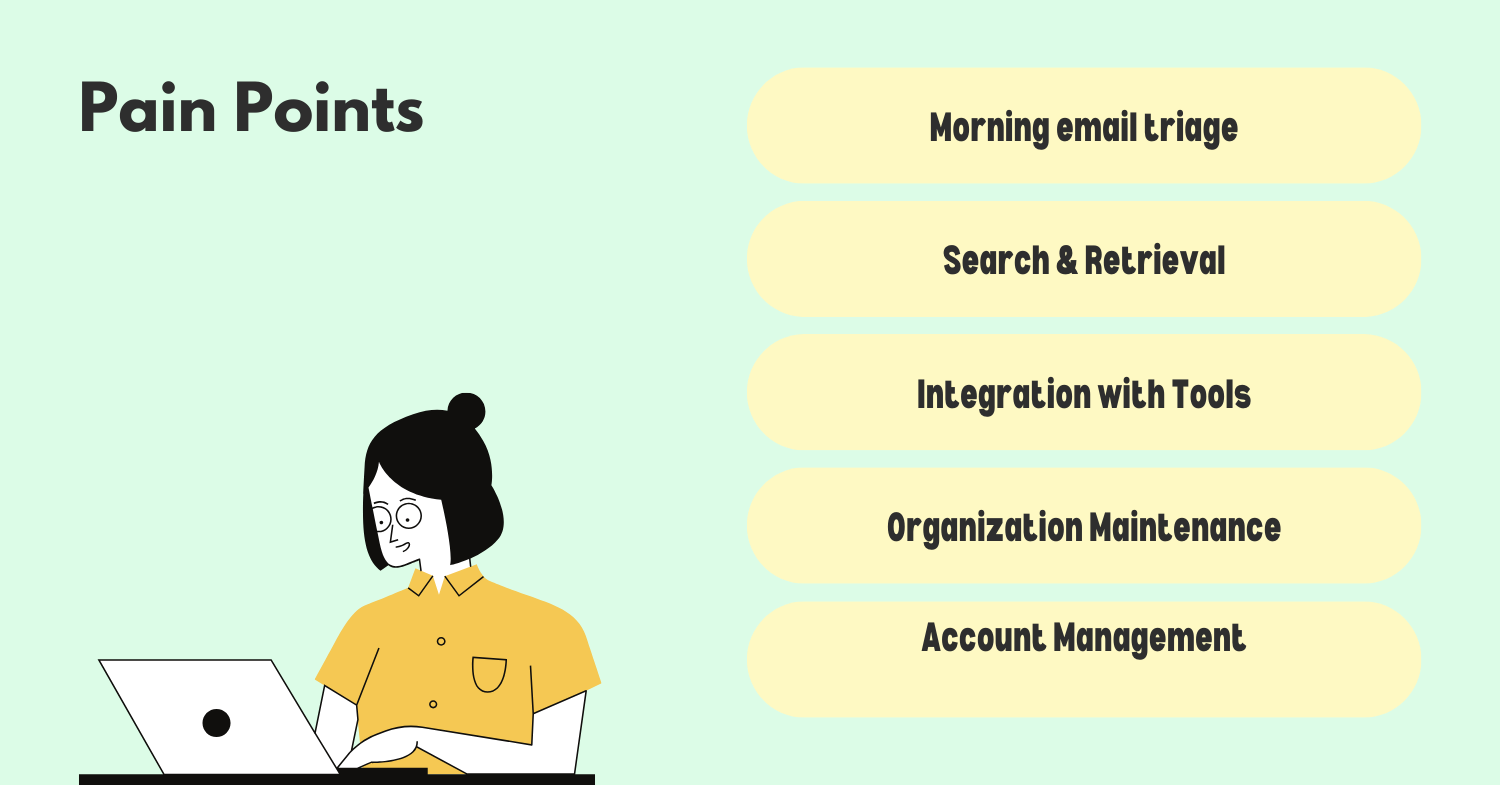
| Pain Point | Severity (1-10) | Frequency (1-10) | Total Score |
|---|---|---|---|
| Email Overload/Triage | 9 | 10 | 90 |
| Search & Retrieval | 8 | 8 | 64 |
| Integration with Tools | 7 | 9 | 63 |
| Organization Maintenance | 8 | 7 | 56 |
| Account Management | 6 | 6 | 36 |
Critical Pain Points:
-
Email Overload/Triage: Power users struggle to quickly identify important emails among the high volume they receive. This causes stress, missed communications, and inefficiency.
-
Search & Retrieval: Despite Gmail's search capabilities, finding specific information remains challenging, especially for non-technical users who don't know advanced search operators.
-
Integration with Tools: Email exists as part of a broader workflow, but Gmail's integration with other productivity tools remains limited, creating friction in users' daily work.
These pain points have intensified as email volume has increased and as users' work has become more distributed across multiple applications and platforms. The shift to remote work has particularly exacerbated the integration challenges as users juggle more tools than ever.
Based on this analysis, I'll focus my solution ideation on addressing these three critical pain points, with particular emphasis on email overload/triage as it scored highest in our prioritization.
Step 4
Solution Generation
To address the identified pain points, I'll develop solutions that leverage Gmail's strengths while incorporating emerging technologies and user experience trends.
Solutions for Email Overload/Triage
-
AI-Powered Priority Inbox 2.0
- Enhanced machine learning that adapts to user behavior patterns
- Predictive importance scoring based on content, sender relationship, and user response patterns
- Visual priority indicators that communicate urgency and importance at a glance
- Customizable "focus time" settings that filter incoming mail based on context
-
Smart Bundling and Summarization
- Automatic grouping of related conversations beyond current categories
- AI-generated summaries of email threads and newsletters
- Digest options for low-priority emails (compile and deliver once daily)
- Visual timeline view of conversation history with key points highlighted
-
Contextual Awareness System
- Calendar-aware email prioritization (e.g., emails about today's meetings rise to top)
- Location and time-based smart notifications
- Work/personal context switching with different notification and organization rules
- Integration with user's digital wellbeing settings
Solutions for Search & Retrieval
-
Natural Language Search Enhancement
- Conversational search interface ("Show me John's emails about the budget from last month")
- Search preview with highlighted relevant content
- Search templates for common queries (e.g., "emails with attachments from person X")
- Visual search results with thumbnail previews of attachments and content
-
Smart Content Extraction
- Automatic identification of actionable items, dates, and commitments
- Extraction of contact information, tracking numbers, and reservation details
- Document and image content made searchable through advanced OCR and image recognition
- Semantic understanding of email content for concept-based searching
Solutions for Integration with Tools
-
Workspace Integration Hub
- Embedded mini-apps within Gmail for common tools (Docs, Sheets, Calendar, Tasks)
- Contextual side panel that shows relevant documents and events based on email content
- Drag-and-drop content between email and other applications
- API enhancements for third-party developers to create deeper integrations
-
Workflow Automation Platform
- No-code automation builder for email-triggered workflows
- Template library for common email processing scenarios
- Integration with Google Assistant for voice-controlled email management
- Cross-application action triggers (e.g., email creates calendar event and task)
Moonshot Idea: Gmail as a Universal Communication Hub
Transform Gmail from an email client to a unified communication platform that:
- Integrates all messaging channels (email, chat, social, SMS) in one interface
- Provides AI-powered communication assistance across channels
- Creates a personal knowledge base from all communications
- Offers predictive responses and proactive communication suggestions
- Uses AR/VR for immersive communication experiences in future interfaces
Implementation Challenges
-
Technical Challenges
- Maintaining performance with added AI/ML capabilities
- Ensuring cross-platform consistency
- Balancing feature richness with simplicity
Solution: Phased rollout with performance testing at each stage; modular architecture that allows features to be enabled/disabled based on device capabilities.
-
User Adoption Challenges
- Change resistance from long-time users
- Learning curve for new capabilities
- Feature discovery issues
Solution: Progressive disclosure of features; interactive tutorials; personalized feature recommendations based on usage patterns.
-
Privacy and Data Concerns
- Increased data processing for AI features
- User comfort with content analysis
- Regulatory compliance across regions
Solution: Clear opt-in processes; transparent data usage policies; edge computing for sensitive processing; regional compliance frameworks.
-
Business Model Integration
- Balancing free vs. premium features
- Advertising impact considerations
- Enterprise vs. consumer feature differentiation
Solution: Tiered feature approach with core improvements for all users and advanced capabilities for Google Workspace subscribers.
Step 5
Solution Evaluation and Prioritization
Using the RICE framework (Reach, Impact, Confidence, Effort), I'll evaluate the proposed solutions:
| Solution | Reach (1-10) | Impact (1-10) | Confidence (0-100%) | Effort (person-months) | RICE Score |
|---|---|---|---|---|---|
| AI Priority Inbox 2.0 | 9 | 8 | 80% | 8 | 7.2 |
| Smart Bundling | 8 | 7 | 70% | 6 | 6.5 |
| Contextual Awareness | 7 | 7 | 60% | 7 | 4.2 |
| Natural Language Search | 9 | 8 | 75% | 9 | 6.0 |
| Smart Content Extraction | 8 | 9 | 65% | 10 | 4.7 |
| Workspace Integration Hub | 8 | 9 | 85% | 7 | 9.3 |
| Workflow Automation | 6 | 8 | 70% | 8 | 4.2 |
| Universal Communication Hub | 10 | 10 | 40% | 24 | 1.7 |
RICE Score Calculation: (Reach × Impact × Confidence) ÷ Effort
Reasoning for Key Scores:
Workspace Integration Hub (Highest Score):
- Reach (8): Appeals to both power users and casual users
- Impact (9): Significantly reduces context switching pain point
- Confidence (85%): Builds on existing Google Workspace integration capabilities
- Effort (7): Moderate complexity leveraging existing APIs and infrastructure
AI Priority Inbox 2.0 (Second Highest):
- Reach (9): Benefits nearly all Gmail users
- Impact (8): Directly addresses the highest priority pain point
- Confidence (80%): Google has strong AI capabilities and existing priority inbox foundation
- Effort (8): Requires sophisticated ML model development and training
Universal Communication Hub (Lowest Score):
- While potentially transformative, the low confidence and high effort make this a longer-term strategic initiative rather than a near-term improvement.
Implementation Roadmap:
Phase 1 (0-6 months):
- Workspace Integration Hub - Quick wins with high impact
- AI Priority Inbox 2.0 - Core functionality release
Phase 2 (6-12 months): 3. Smart Bundling and Summarization 4. Natural Language Search Enhancement
Phase 3 (12-18 months): 5. Smart Content Extraction 6. Contextual Awareness System
Phase 4 (18+ months): 7. Workflow Automation Platform 8. Begin exploration of Universal Communication Hub concept
This phased approach balances quick wins with strategic long-term improvements while managing engineering resources effectively.
Step 6
Metrics and Measurement
To measure the success of our Gmail improvements, I propose the following metrics framework:
Primary Success Metrics:
-
Daily Active Users (DAU) / Monthly Active Users (MAU) Ratio
- Measures engagement frequency and stickiness
- Target: Increase by 15% within 6 months of feature rollout
-
Time to Process Inbox
- Measures efficiency improvements in email triage
- Target: Reduce average time by 20% for power users
-
Search Success Rate
- Percentage of searches that result in user finding desired information
- Target: Increase from baseline by 25%
-
Cross-Application Workflow Completion
- Measures successful task completion across Gmail and integrated apps
- Target: Establish baseline and improve by 30% within 12 months
Secondary Metrics:
-
Feature Adoption Rates
- Percentage of users engaging with new features
- Target: 40% adoption of priority features within 3 months
-
User Satisfaction Scores
- Measured through in-product surveys and feedback
- Target: 15% improvement in satisfaction scores
-
Time Spent in Gmail
- Quality time vs. total time metrics
- Target: Increase quality time while potentially decreasing total time
Guardrail Metrics:
-
Performance Metrics
- Page load time, responsiveness
- Ensure no degradation with new features
-
Privacy Opt-Out Rates
- Monitor user comfort with AI features
- Keep below 15% opt-out threshold
-
Error Rates
- Monitor AI suggestion accuracy and system errors
- Keep below 5% error threshold
I would establish measurement frameworks before launch, including A/B testing methodologies, to ensure we can accurately attribute improvements to specific changes. We would also implement continuous feedback loops to refine features based on user behavior and direct feedback.
Summary and Next Steps
To improve Gmail, I've focused on addressing three critical pain points for power users: email overload/triage, search & retrieval, and integration with other tools. My analysis identified the Workspace Integration Hub and AI Priority Inbox 2.0 as the highest-impact, most feasible solutions to implement first.
The proposed improvements leverage Google's strengths in AI/ML while enhancing Gmail's core value proposition as a productivity tool. By implementing these changes in a phased approach, we can deliver immediate value while building toward more transformative features.
Key metrics to track include the DAU/MAU ratio, time to process inbox, search success rate, and cross-application workflow completion. These metrics directly tie to user pain points and business objectives.
Next steps would include:
- Validating these concepts through user research and prototype testing
- Developing detailed technical specifications for the Phase 1 initiatives
- Creating an implementation plan with engineering and design teams
- Establishing baseline metrics for measurement
- Developing a communication plan for feature rollout
These improvements will position Gmail to maintain its leadership in email while evolving to meet changing user needs and communication patterns.
.png)