Introduction
I'll approach improving Google Workspace by examining user needs, identifying pain points, and developing strategic solutions that enhance productivity and collaboration. I'll focus on how we can evolve this suite to better serve modern work patterns while maintaining its core strengths of accessibility and collaboration.
Step 1
Clarifying Questions
- Why it matters: This determines whether we prioritize deepening current functionality or adding features to attract new segments.
- Expected answer: Likely a balance, but retention might be more critical given the mature market.
- Impact on approach: A retention focus would lead me to emphasize workflow improvements and integration, while acquisition would suggest feature parity with competitors.
- Why it matters: This helps identify where to focus our improvement efforts across the ecosystem.
- Expected answer: Likely mobile-desktop transitions and offline-online synchronization.
- Impact on approach: If mobile is the pain point, I'd focus on touch-optimized interfaces; if synchronization, I'd prioritize offline capabilities.
- Why it matters: This helps us understand where the collaboration experience breaks down most frequently.
- Expected answer: Probably asynchronous workflows and third-party integrations.
- Impact on approach: Would focus solutions on either enhancing the core collaboration experience or building a more robust ecosystem.
- Why it matters: Enterprise adoption often hinges on these factors rather than end-user features.
- Expected answer: Likely increasing demands for granular permissions and compliance features.
- Impact on approach: Would balance consumer-friendly improvements with enterprise requirements.
I'd like to take a minute to organize my thoughts before moving to user segmentation.
Step 2
User Segmentation
Key Stakeholders
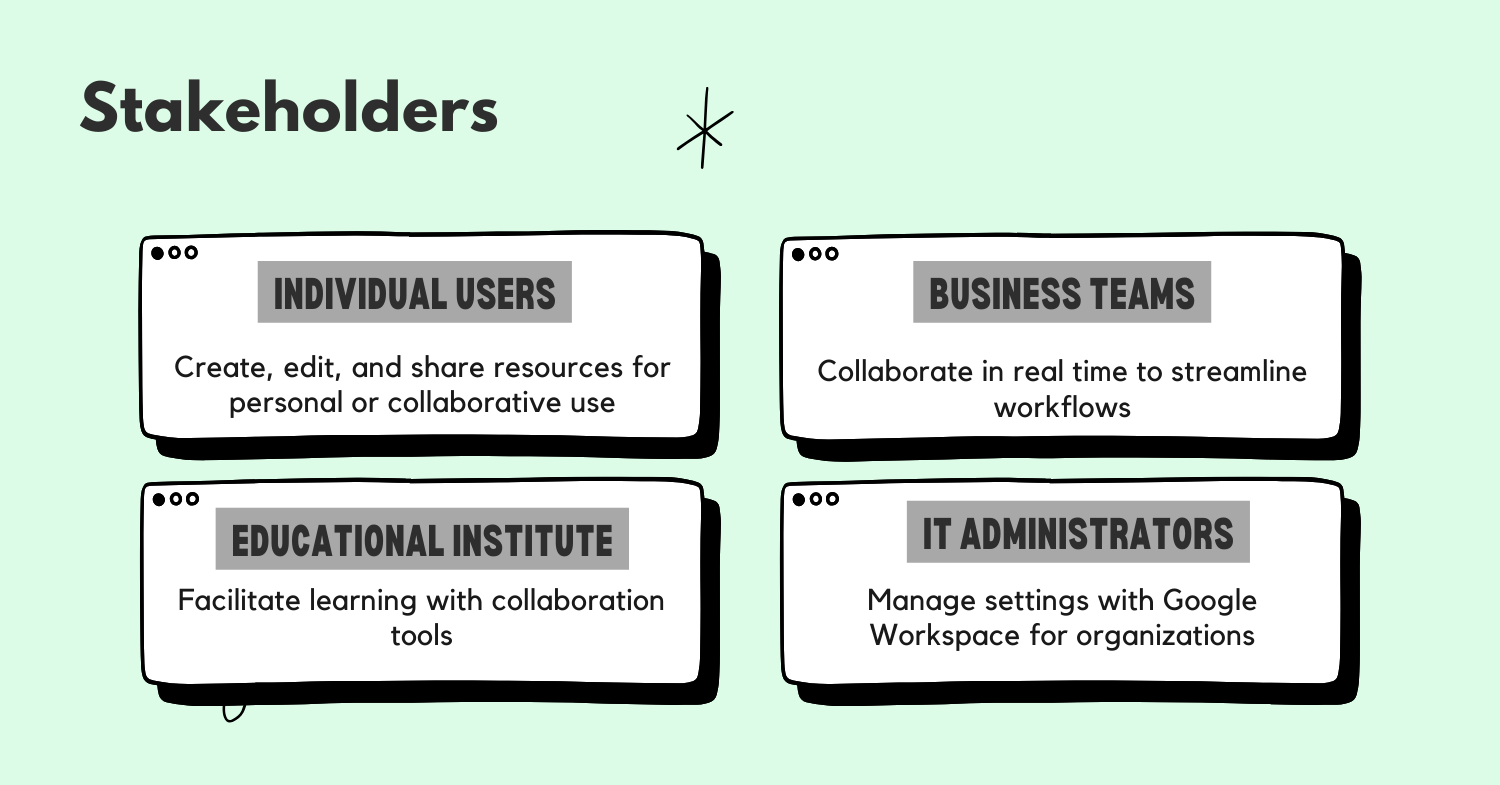
The Google Workspace ecosystem involves several key stakeholders:
- Individual users - People using Workspace for personal productivity
- Team collaborators - Groups working together on shared documents
- IT administrators - Those managing Workspace deployments
- Enterprise decision-makers - Executives choosing productivity solutions
For this analysis, I'll focus on team collaborators as they represent the core value proposition of Workspace and drive both adoption and retention. The collaborative features are what truly differentiate Workspace from traditional office suites.
Sub-segments
Within team collaborators, I identify these key sub-segments:
- Cross-functional project teams - Members from different departments collaborating on time-bound projects
- Distributed teams - Remote or hybrid teams working across different locations and time zones
- Education collaborators - Students and teachers using Workspace for academic purposes
- Small business teams - Small companies using Workspace as their primary productivity suite
Prioritization Table
| Sub-Segment | TAM (1-10) | Frequency (1-10) | Potential Impact (1-10) | Total Score |
|---|---|---|---|---|
| Cross-functional project teams | 7 | 8 | 8 | 448 |
| Distributed teams | 9 | 9 | 9 | 729 |
| Education collaborators | 8 | 7 | 6 | 336 |
| Small business teams | 7 | 8 | 7 | 392 |
Distributed teams score highest because:
- TAM (9): Remote work has dramatically increased, creating a massive addressable market
- Frequency (9): These teams rely heavily on digital tools for daily collaboration
- Potential Impact (9): Improvements would significantly affect their productivity and satisfaction
Primary Persona: Alex, Distributed Team Member
Demographics: 32-year-old product manager at a mid-sized tech company Behaviors:
- Works from home 3-4 days per week
- Collaborates with team members across 3 time zones
- Switches between desktop and mobile devices throughout the day
- Spends 70% of workday in collaborative documents Motivations:
- Seamless collaboration regardless of location or device
- Efficient asynchronous communication
- Maintaining context across multiple projects Pain Points:
- Struggles with version control when offline
- Finds it difficult to track changes and decisions across documents
- Experiences friction when switching between devices
- Needs better integration with other productivity tools
Step 3
Pain Points Analysis
User Journey for Distributed Team Member
- Planning - Creates initial document structure and shares with team
- Collaboration - Multiple team members edit simultaneously or asynchronously
- Feedback - Collects and incorporates feedback from stakeholders
- Revision - Makes changes based on feedback, often across multiple sessions
- Finalization - Completes document and prepares for presentation/distribution
- Reference - Returns to document later for information or updates
Pain Points at Each Stage
-
Planning
- Limited templates for specific use cases
- Difficulty establishing consistent structure across documents
- "I waste time recreating the same document structures over and over."
-
Collaboration
- Challenging to track who's currently viewing/editing
- Poor offline collaboration capabilities
- "I never know if I'm working on the latest version when my internet connection is spotty."
-
Feedback
- Comments become unwieldy in large documents
- No easy way to track resolution status of multiple comments
- "I miss important feedback because it gets buried in a sea of comments."
-
Revision
- Difficult to see what's changed since last viewing
- No easy way to revert specific changes without affecting others
- "I can't easily see what's changed since I last looked at this document."
-
Finalization
- Limited options for professional formatting
- Inconsistent formatting between Docs, Sheets, and Slides
- "Our documents don't look as polished as they could when we share them externally."
-
Reference
- Poor search capabilities across multiple documents
- Difficulty finding specific content within large document libraries
- "I know the information exists somewhere in our shared drive, but I can't find it."
Root Causes
- Disconnected experiences - Each app (Docs/Sheets/Slides) was developed separately with different interfaces and capabilities
- Limited offline capabilities - Architecture prioritized real-time collaboration over offline functionality
- Weak contextual awareness - System doesn't maintain user context across sessions and devices
- Underdeveloped knowledge management - Focus on documents rather than information management
- Feature lag - Some advanced features available in competing products are missing
Pain Point Prioritization
| Pain Point | Severity (1-10) | Frequency (1-10) | Total Score |
|---|---|---|---|
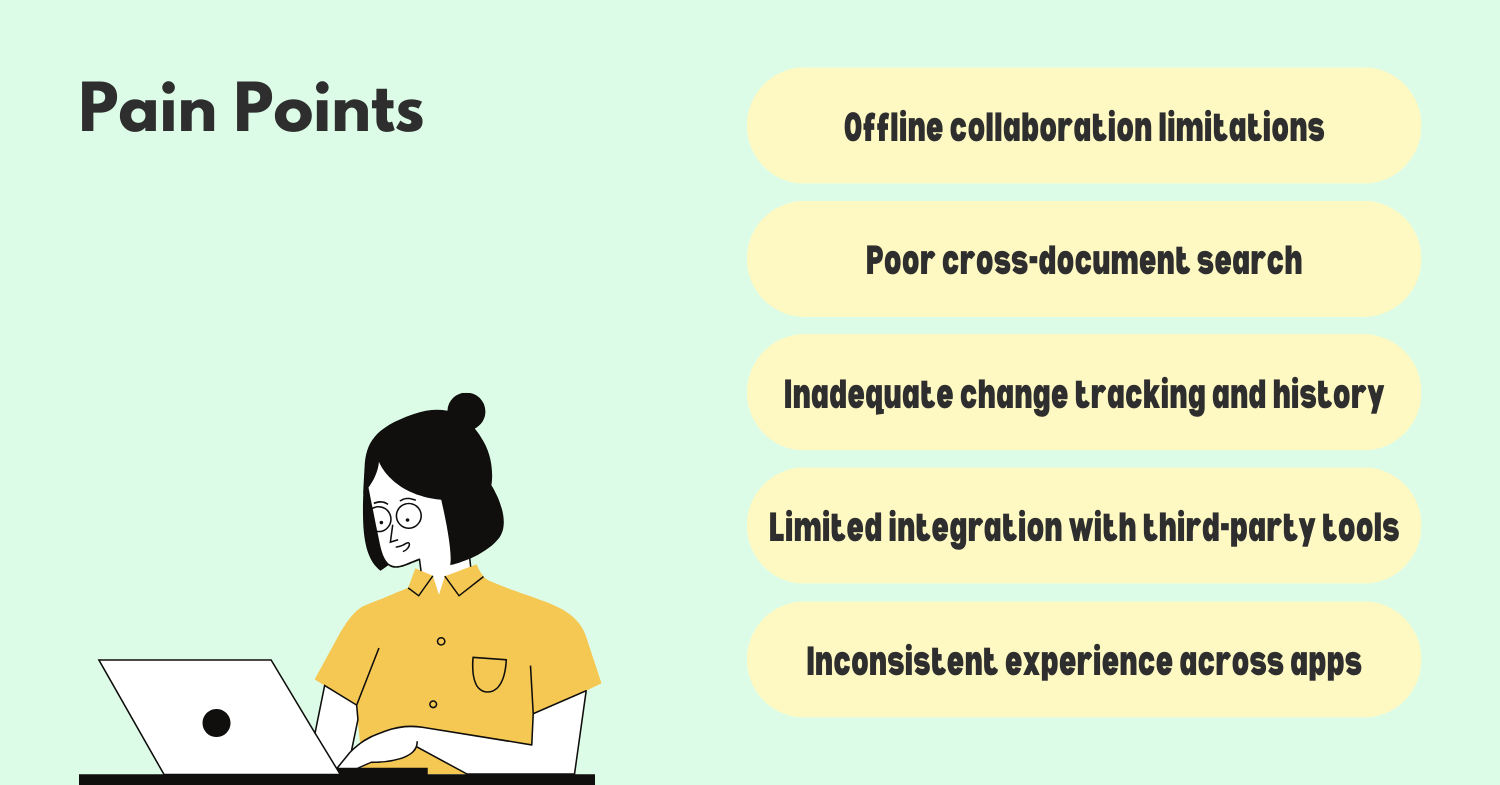
| Offline collaboration limitations | 9 | 8 | 72 |
| Poor cross-document search and reference | 8 | 9 | 72 |
| Inadequate change tracking and history | 7 | 9 | 63 |
| Limited integration with third-party tools | 8 | 7 | 56 |
| Inconsistent experience across apps | 6 | 9 | 54 |
Critical Pain Points:
- Offline collaboration limitations - High severity as it blocks productivity; high frequency for distributed teams with varying connectivity
- Poor cross-document search and reference - Critical for knowledge workers who need to find information quickly across many documents
- Inadequate change tracking and history - Essential for distributed teams working asynchronously to maintain context
These pain points have increased recently due to:
- Shift to remote/hybrid work increasing reliance on digital collaboration
- Growing document libraries as companies digitize more processes
- Rising user expectations from consumer apps with sophisticated search and context awareness
Now that we've identified the key pain points, let's take a minute to organize our thoughts before developing solutions.
Step 4
Solution Generation
Based on the prioritized pain points, I'll develop solutions that address the core needs of distributed teams while enhancing the overall Workspace experience.
Solution 1: Enhanced Offline Mode
Create a truly robust offline experience that maintains full functionality regardless of connection status:
- Smart sync engine that prioritizes syncing essential documents based on user patterns
- Conflict resolution assistant that helps merge changes intelligently when reconnecting
- Local version history that tracks changes made offline and integrates them into the cloud history
- Background syncing that opportunistically updates when connectivity is available without disrupting work
This would transform the experience for users with intermittent connectivity, especially those working while traveling or in areas with poor internet access.
Solution 2: Workspace Knowledge Engine
Develop a unified search and knowledge management layer across all Workspace applications:
- Cross-document semantic search that understands context and relationships between documents
- AI-powered content suggestions that surface relevant information from your document library while working
- Smart tagging system that automatically categorizes content for easier retrieval
- Knowledge graph visualization showing relationships between documents and topics
This would address the pain point of information being siloed in separate documents and difficult to find when needed.
Solution 3: Contextual Collaboration
Create a system that maintains awareness of user context across sessions, devices, and documents:
- Activity timeline showing recent documents, comments, and mentions across all Workspace apps
- Smart resumption that returns users to their last position in a document on any device
- Change highlights that visually indicate what's changed since a user last viewed a document
- Collaboration insights showing who contributed what and when in an intuitive visual format
This solution would help distributed teams maintain awareness of project status and changes without manual tracking.
Solution 4: Workspace Integration Platform
Build a robust integration framework that connects Workspace with other productivity tools:
- Universal connector API allowing seamless embedding of third-party tools within documents
- Live data connections to update charts and tables automatically from external sources
- Workflow automation to trigger actions in other systems based on document changes
- Custom sidebar extensions for specialized industry tools and workflows
This would address the pain point of context switching between Workspace and other tools.
Implementation Challenges
-
Technical Complexity
- The offline synchronization engine would require sophisticated conflict resolution algorithms
- Solution: Leverage Google's expertise in distributed systems and implement a phased approach
-
User Adoption
- New features could overwhelm users accustomed to the current interface
- Solution: Progressive disclosure of advanced features and contextual onboarding
-
Cross-Platform Consistency
- Maintaining feature parity across web, desktop, mobile, and tablet experiences
- Solution: Adopt a platform-agnostic core architecture with adaptive UI layers
-
Data Privacy
- The knowledge engine raises questions about data usage and privacy
- Solution: Transparent controls and processing data on-device when possible
Moonshot Idea: Workspace AI Copilot
A context-aware AI assistant that understands the full scope of a team's work:
- Automatically drafts sections of documents based on team's previous work
- Suggests improvements to clarity, structure, and formatting
- Creates visualizations from written descriptions or data
- Summarizes long documents and highlights key decisions
- Translates between different formats (e.g., turning a document into a presentation)
- Identifies knowledge gaps and suggests subject matter experts within the organization
This would fundamentally transform how teams work with documents, shifting from manual creation to AI-assisted curation and refinement.
Step 5
Solution Evaluation and Prioritization
Let's evaluate our solutions using the RICE framework:
| Solution | Reach (1-10) | Impact (1-10) | Confidence (0.1-1.0) | Effort (months) | RICE Score |
|---|---|---|---|---|---|
| Enhanced Offline Mode | 8 | 9 | 0.8 | 9 | 6.4 |
| Workspace Knowledge Engine | 9 | 8 | 0.7 | 12 | 4.2 |
| Contextual Collaboration | 10 | 7 | 0.9 | 6 | 10.5 |
| Integration Platform | 7 | 8 | 0.8 | 10 | 4.5 |
| AI Copilot (Moonshot) | 10 | 10 | 0.5 | 18 | 2.8 |
Reasoning for scores:
-
Enhanced Offline Mode
- Reach: 8 - Affects most users, but not all have connectivity issues
- Impact: 9 - Transformative for affected users
- Confidence: 0.8 - Strong technical precedent exists
- Effort: 9 months - Requires significant sync architecture work
-
Workspace Knowledge Engine
- Reach: 9 - Benefits nearly all users
- Impact: 8 - Substantial improvement to information retrieval
- Confidence: 0.7 - Complex AI components increase uncertainty
- Effort: 12 months - Requires new infrastructure and ML models
-
Contextual Collaboration
- Reach: 10 - Benefits all users
- Impact: 7 - Meaningful improvement to daily workflow
- Confidence: 0.9 - Builds on existing features
- Effort: 6 months - Moderate complexity
-
Integration Platform
- Reach: 7 - Most valuable for power users
- Impact: 8 - Transformative for those using multiple tools
- Confidence: 0.8 - Clear technical path
- Effort: 10 months - Requires partner ecosystem development
Implementation Roadmap
Based on the RICE scores and strategic considerations:
-
Phase 1 (0-6 months): Contextual Collaboration
- Highest RICE score and relatively quick implementation
- Provides immediate value to all users
- Creates foundation for other improvements
-
Phase 2 (3-12 months): Enhanced Offline Mode
- Second highest RICE score
- Addresses critical pain point for distributed teams
- Begin development while Phase 1 is being completed
-
Phase 3 (9-19 months): Integration Platform
- Builds on architecture improvements from first two phases
- Creates ecosystem value and addresses third-party integration needs
-
Phase 4 (12-24 months): Workspace Knowledge Engine
- Most complex technically but high potential impact
- Benefits from data gathered in earlier phases
-
Long-term (18-36 months): AI Copilot
- Moonshot idea requiring significant R&D
- Can be developed incrementally with features released as ready
Validation Approach
For each solution, I would implement:
- User research with prototype testing before full development
- Limited beta program with opt-in for early adopters
- A/B testing of specific features with metrics tracking
- Phased rollout starting with less critical user segments
Step 6
Metrics and Measurement
Primary Success Metrics
-
Weekly Active Users (WAU) - Measures overall engagement with Workspace
- Target: 5% increase within 6 months of each phase
-
Collaboration Depth - Average number of collaborators per document
- Target: 10% increase within 3 months of Contextual Collaboration release
-
Time to Information - How quickly users find relevant content (measured via search time and document revisits)
- Target: 20% reduction after Knowledge Engine implementation
Secondary Metrics
-
Cross-device Continuation - Percentage of sessions resumed on different devices
- Relates to contextual collaboration improvements
-
Offline Edit Sessions - Number and duration of productive offline work sessions
- Directly measures Enhanced Offline Mode success
-
Third-party Integration Usage - Adoption of integrations with external tools
- Measures Integration Platform success
Guardrail Metrics
-
Document Load Time - Ensures new features don't degrade performance
- Must remain under 2 seconds for 90% of documents
-
Error Rate - Tracks synchronization conflicts and data loss incidents
- Must remain below 0.01% of all editing sessions
-
User Satisfaction Score - Regular surveys to ensure improvements are positively received
- Must maintain or improve from baseline
I would establish baseline measurements before implementation and track trends weekly, with formal reviews at 30, 90, and 180 days post-launch for each phase.
Step 7
Summary and Next Steps
To improve Google Workspace, I've focused on addressing the critical pain points of distributed teams, particularly around offline collaboration, information discovery, and contextual awareness. My approach prioritizes:
- Contextual Collaboration features that maintain awareness across sessions and devices
- Enhanced Offline Mode to ensure productivity regardless of connectivity
- Integration Platform to connect Workspace with the broader productivity ecosystem
- Knowledge Engine to transform how teams find and use information
These improvements align with the evolving needs of modern distributed teams while building on Workspace's core strengths in real-time collaboration. The implementation roadmap balances quick wins with longer-term strategic investments.
For next steps, I recommend:
- Conduct targeted user research with distributed teams to validate pain points
- Develop prototypes of the Contextual Collaboration features for user testing
- Form cross-functional teams to begin technical planning for the first two phases
- Establish baseline metrics to measure improvement impact
.png)