
Introduction
I'll approach designing a mobile phone for kids by first understanding the target users, their needs, and the concerns of their parents. I'll identify key pain points in the current market offerings, prioritize features that address safety and usability, and develop a solution that balances functionality with parental controls. My goal is to create a product that gives children appropriate technology access while providing parents peace of mind.
Does this approach sound good? I'd like to make sure we're aligned before I dive deeper.
Step 1
Clarifying Questions (3 minutes)
- Why it matters: Determines whether we need to maintain compatibility with existing ecosystems or have freedom to innovate
- Expected answer: Yes, designing a new product
- Impact on approach: Would influence technology choices, design freedom, and integration requirements
- Why it matters: Fundamentally shapes the feature set, UI complexity, and safety measures
- Expected answer: Primary school children (6-12 years)
- Impact on approach: Would determine appropriate content controls, interface complexity, and durability requirements
- Why it matters: Affects go-to-market strategy, manufacturing capabilities, and cost structure
- Expected answer: Established manufacturer with some experience
- Impact on approach: Would leverage existing supply chain relationships and distribution networks
- Why it matters: Helps prioritize features and position the product appropriately
- Expected answer: Safety and appropriate content access
- Impact on approach: Would emphasize parental controls and monitoring features
Propose the Goal
Given the focus on children's mobile technology, I believe our goal should be to create a mobile phone that provides age-appropriate connectivity and digital experiences while giving parents robust control and visibility. Does this align with your vision?
Define the Scope
For this discussion, I'll focus on designing a complete mobile phone solution including hardware, software, and services specifically for children. I'll assume we're targeting children ages 6-12, with a primary focus on safety, durability, and ease of use.
I'll take a moment to organize my thoughts based on these clarifications before continuing.
Based on our discussion, I'll proceed with these assumptions:
- We're designing a new mobile phone specifically for children ages 6-12
- We're an established tech company with hardware experience
- Primary focus is on safety, appropriate content access, and ease of use
- We have reasonable resources but need to be mindful of cost and complexity
Step 2
Why build this? (5 minutes)
Analyze Macro Trends and Opportunities:
The kids' mobile phone market presents several compelling opportunities driven by key trends:
First, digital literacy is becoming essential at increasingly younger ages, with schools integrating technology into curricula as early as kindergarten. Parents recognize the importance of technological fluency but remain concerned about unrestricted access.
Second, the average age for first smartphone ownership has been steadily decreasing, now around 10-11 years in many developed markets, creating demand for transitional devices that bridge simple feature phones and full smartphones.
Third, parents are increasingly concerned about screen time impacts on development, with 71% of parents worried about their children's screen time according to Pew Research. This creates demand for devices with built-in healthy usage features.
Finally, the pandemic accelerated remote learning and digital communication needs for younger children, establishing new patterns that persist post-pandemic.
Competitor Analysis:
The current market includes several approaches:
Simplified smartphones (like Gabb Wireless) offer basic communication without games or social media, but often lack sophisticated parental controls and can feel too restrictive for older children.
Smartwatches for kids (like Verizon GizmoWatch) provide limited communication and GPS tracking but have significant limitations in functionality and screen size.
Parental control software on regular phones (like Apple's Screen Time or Google Family Link) offers monitoring capabilities but requires parents to manage settings across multiple platforms and can be circumvented.
Modified Android devices (like Pinwheel) provide curated app experiences but often struggle with hardware quality and software updates.
A key gap exists for a purpose-built device with robust hardware, intuitive parental controls, and a software experience that grows with the child.
Value Chain Analysis:
In the current value chain, most players focus on either hardware (creating durable devices) or software (parental controls), with few successfully integrating both.
Telecom providers have attempted to enter this space but typically offer watered-down versions of adult plans rather than truly child-focused experiences.
Our competitive advantage would come from creating an integrated ecosystem where hardware, software, and services work seamlessly together, providing value to both children and parents throughout the ownership lifecycle.
Step 3
User Segments (5 minutes)
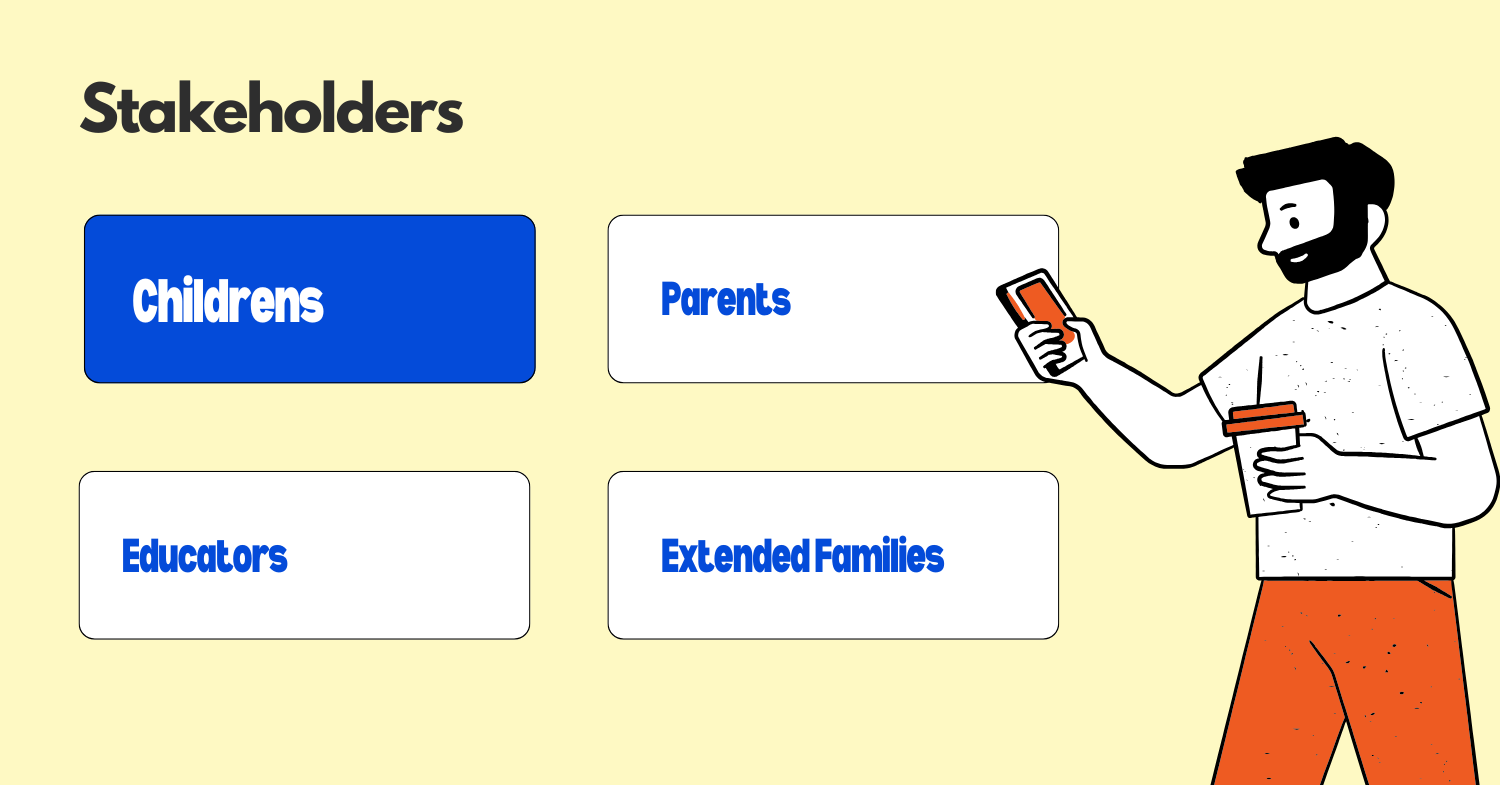 The key stakeholders in this ecosystem include:
- Children (the end users)
- Parents (the purchasers and administrators)
- Extended family (gift-givers and occasional communicators)
- Schools and educators (who may interact with or restrict device usage)
Since we're explicitly designing a phone for kids, I'll focus on children as our primary users while recognizing parents as critical decision-makers.
Within the children segment, I can identify several sub-segments:
-
Early Elementary (6-8 years): First-time device users who need simple interfaces, heavy parental oversight, and primarily use devices for communication with family and basic educational content.
-
Late Elementary (9-10 years): Developing digital literacy, beginning to use technology for schoolwork, interested in basic games and content consumption, but still needing significant guardrails.
-
Middle School Transition (11-12 years): Increasing social usage, desire for more independence, using technology for school projects, and beginning to push boundaries while still needing protection.
-
Special Needs Children: Kids with various conditions who may benefit from assistive technologies, simplified interfaces, or specialized communication tools.
Let me prioritize these segments:
| Segment | TAM (1-10) | Engagement Potential (1-10) | Need for Specialized Solution (1-10) | Total Score |
|---|---|---|---|---|
| Early Elementary | 7 | 6 | 9 | 378 |
| Late Elementary | 9 | 8 | 8 | 576 |
| Middle School Transition | 8 | 9 | 7 | 504 |
| Special Needs | 5 | 7 | 10 | 350 |
For TAM, Late Elementary scores highest because it represents the age when many parents first consider phones for their children, creating a large addressable market.
For Engagement Potential, Middle School scores highest as these children have more use cases and desire for device interaction.
For Need for Specialized Solution, Early Elementary and Special Needs score highest as they require the most customization from standard smartphones.
Based on this analysis, I'll focus primarily on the Late Elementary (9-10 years) segment, as they represent the sweet spot of market size, engagement potential, and need for a specialized solution. This age range is when many parents first seriously consider providing a phone, creating a natural entry point for our product.
Step 4
Pain Points (5 minutes)
For the Late Elementary (9-10 years) segment, here are the key pain points related to mobile phones:
-
Safety Concerns: Parents worry about inappropriate content, contact with strangers, and online bullying.
User quote: "I want my daughter to have a phone for emergencies, but I'm terrified about what she might access online or who might contact her."
Potential metrics: Number of blocked inappropriate content attempts, instances of unknown contacts attempting communication
-
Device Durability: Children at this age are prone to dropping devices, exposing them to water damage, or otherwise accidentally damaging expensive technology.
User scenario: 9-year-old Sam drops his phone on the playground, cracking the screen for the second time this year, leading to a $200 repair bill.
Potential metrics: Repair frequency, damage incidents per user, warranty claims
-
Balance of Independence vs. Control: Children want freedom to explore while parents need appropriate oversight.
User quote from child: "My mom checks EVERYTHING I do on my phone. I feel like a baby."
User quote from parent: "I never know if I'm giving too much freedom or being too restrictive."
Potential metrics: Frequency of parental intervention, number of permission requests, user satisfaction scores from both parents and children
-
Digital Literacy Development: Children need to learn responsible technology use but current solutions either provide full access or severely restricted experiences.
User scenario: A 10-year-old receives a regular smartphone with minimal guidance and quickly develops problematic usage patterns, spending 6+ hours daily on entertainment apps.
Potential metrics: Time spent on educational vs. entertainment content, growth in appropriate technology skills
Here's a mind map visualizing these pain points and their relationships:
                                 ┌─────────────────────┐
                                 │ Mobile Phone Issues │
                                 │  for 9-10 Year Olds │
                                 └──────────┬──────────┘
                                            │
                 ┌────────────────┬─────────┴────────────┬────────────────┐
                 │                │                      │                │
        ┌────────▼─────────┐     ┌▼─────────────────┐   ┌▼──────────────┐ ┌────────▼────────┐
        │ Safety Concerns  │     │Device Durability │   │Independence vs│ │Digital Literacy │
        └────────┬─────────┘     └─────────┬────────┘   │    Control    │ │  Development    │
                 │                         │            └───────┬───────┘ └────────┬────────┘
                 │                         │                    │                  │
     ┌───────────┼───────────┐    ┌────────┼────────┐   ┌──────┴───────┐  ┌───────┴────────┐
     │           │           │    │        │        │   │              │  │                │
┌────▼───┐ ┌─────▼────┐ ┌───▼───┐┌▼────┐ ┌─▼──┐ ┌──▼─┐┌▼────────┐ ┌───▼┐┌▼────────┐ ┌─────▼────┐
│Predators│ │Bullying │ │Content││Drops│ │Water│ │Cost││Monitoring│ │Trust││Skill    │ │Healthy   │
│         │ │         │ │       ││     │ │     │ │    ││         │ │    ││Building │ │Habits    │
└─────────┘ └─────────┘ └───────┘└─────┘ └─────┘ └────┘└─────────┘ └────┘└─────────┘ └──────────┘
Step 5
Prioritization of Pain Points (3 minutes)
Let me prioritize these pain points based on severity and frequency:
| Pain Point | Severity (1-10) | Frequency (1-10) | Score | Reasoning |
|---|---|---|---|---|
| Safety Concerns | 10 | 8 | 80 | High severity due to potential for serious harm; frequent occurrence of inappropriate content exposure |
| Device Durability | 6 | 9 | 54 | Moderate severity (primarily financial impact); very frequent occurrence with this age group |
| Independence vs. Control | 7 | 10 | 70 | High impact on user satisfaction and adoption; constant tension in daily use |
| Digital Literacy Development | 8 | 7 | 56 | Long-term developmental importance; occurs with most interactions |
Based on this analysis, I'll prioritize addressing:
-
Safety Concerns (Score: 80) - This represents the most critical pain point because it has the highest potential for harm and is a primary barrier to adoption. Parents won't purchase devices they don't trust, making this a prerequisite for market entry.
-
Independence vs. Control Balance (Score: 70) - This ranks second because it directly impacts daily satisfaction for both user groups. Products that fail to balance these needs typically see either high return rates (too restrictive) or parents removing the device (too permissive).
These two pain points are also deeply interconnected - addressing safety concerns in a way that still provides appropriate independence will be key to our solution's success. While device durability and digital literacy development are important, they can be addressed as secondary priorities once we've established a foundation of safety and appropriate autonomy.
Now that we've identified the key pain points, I'll take a moment to organize my thoughts before developing solutions.
Step 6
Solution (10 minutes)
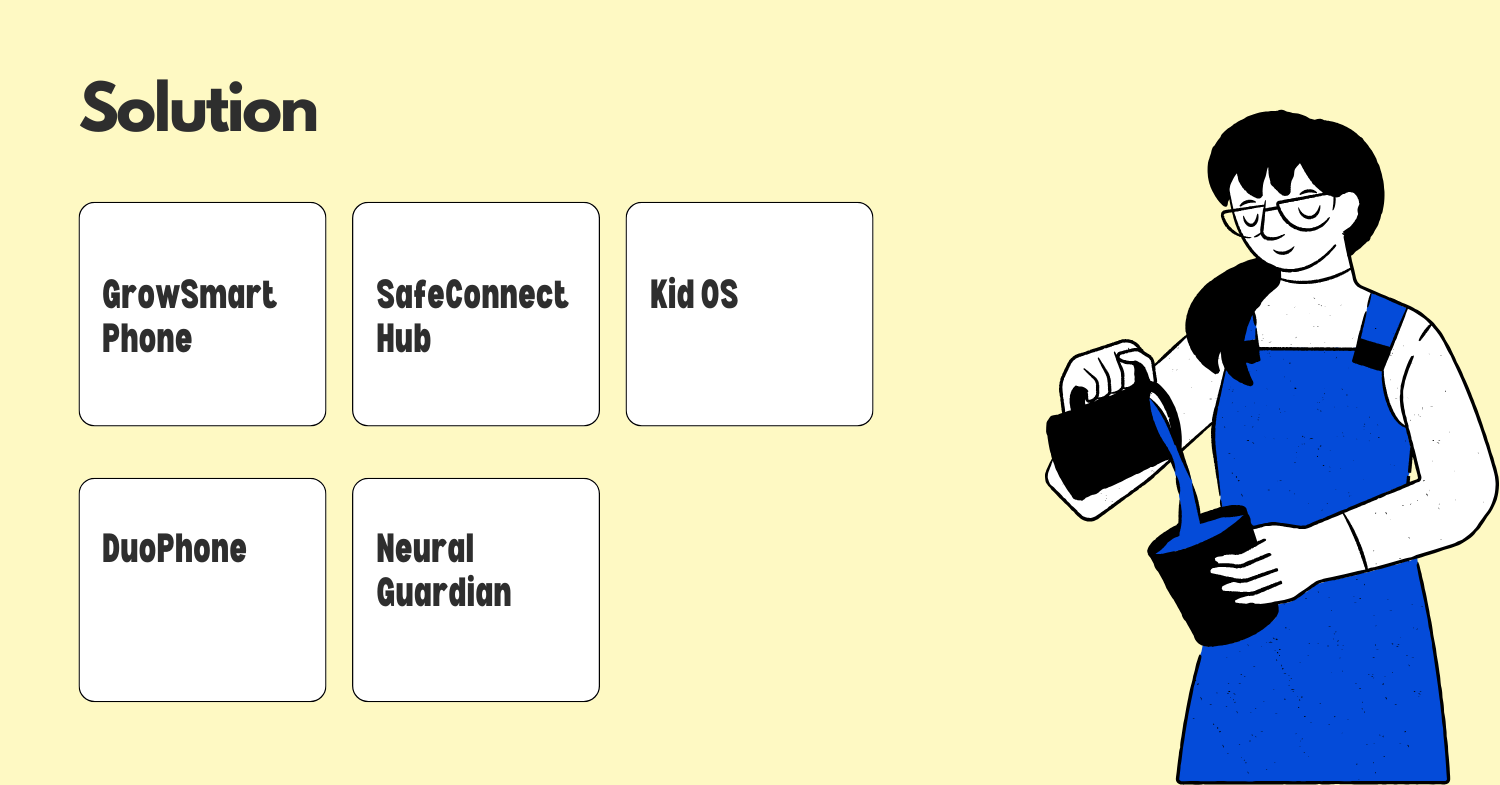 Based on our prioritized pain points, here are five potential solutions:
-
GrowSmart Phone - A physically durable smartphone with an adaptive interface that "grows" with the child. The system uses AI to gradually unlock features as the child demonstrates responsible usage patterns, rather than being purely age-based. Parents set broad parameters, but the system handles gradual permission expansion, reducing friction between parent and child.
-
SafeConnect Hub - A simplified smartphone focused on communication safety with "circles of trust." The phone allows different levels of communication based on relationship proximity (family, known friends, classmates, others), with appropriate safeguards for each level. Includes real-time content monitoring that flags concerning interactions without requiring parents to read every message.
-
KidOS - A completely reimagined mobile operating system built specifically for children that separates "learning mode" and "play mode" with different time allocations and features. Includes built-in digital literacy lessons that unlock additional capabilities as children complete them, gamifying the process of learning responsible tech use.
-
DuoPhone - A dual-interface phone with a simplified kid-friendly interface for daily use and a standard smartphone interface that unlocks only when specific conditions are met (location, time of day, parental approval). This creates a "training wheels" approach to smartphone usage that can be gradually adjusted.
-
Moonshot: Neural Guardian - A phone with advanced emotional intelligence that can detect user stress, screen fatigue, or problematic usage patterns through facial recognition, voice analysis, and usage patterns. The system proactively suggests breaks, alternative activities, or even locks temporarily when it detects unhealthy usage patterns.
Let me prioritize these solutions:
| Solution | Reach (1-10) | Impact (1-10) | Feasibility (1-10) | Alignment with Goal (1-10) | Total Score |
|---|---|---|---|---|---|
| GrowSmart Phone | 8 | 9 | 7 | 9 | 4536 |
| SafeConnect Hub | 9 | 8 | 8 | 8 | 4608 |
| KidOS | 7 | 9 | 5 | 8 | 2520 |
| DuoPhone | 8 | 7 | 6 | 7 | 2352 |
| Neural Guardian | 6 | 10 | 3 | 9 | 1620 |
Reach: SafeConnect scores highest as its focus on communication safety addresses the broadest market concern. Impact: Neural Guardian and GrowSmart score highest for potentially transformative effects on user experience. Feasibility: SafeConnect is most feasible with current technology, while Neural Guardian is most challenging. Alignment: GrowSmart and Neural Guardian best address our core goals of safety with appropriate independence.
Based on this analysis, I'll focus on the SafeConnect Hub as our primary solution, with elements of GrowSmart incorporated where feasible.
SafeConnect Hub: User Journey
The SafeConnect Hub would provide a communication-focused experience with graduated levels of access and robust safety features. Here's the user journey:
Key features of the SafeConnect Hub:
-
Circles of Trust: Communications are managed through concentric circles of trust, with different monitoring levels for each:
- Family Circle: Unrestricted communication
- Friend Circle: Light monitoring for concerning patterns
- Outer Circle: More active monitoring and restrictions
-
Intelligent Monitoring: Rather than requiring parents to read every message, AI systems flag potentially concerning content for parental review, balancing privacy with safety.
-
Growth Dashboard: Both parents and children can see progress toward digital literacy goals and unlocking new features, creating transparency in the process.
-
Physical Design: Durable hardware with a simplified interface, physical buttons for emergency contacts, and a water-resistant case built-in.
-
Time Management: Built-in tools to manage screen time without requiring constant parental intervention, including automatic downtime during school hours and before bedtime.
Technical and Business Challenges
-
Privacy Balance: Creating AI monitoring that's effective without being invasive will require sophisticated development and careful ethical considerations.
-
Hardware Costs: Building a durable device with good performance at a price point parents are willing to pay for a child's device.
-
Ecosystem Integration: Ensuring compatibility with family sharing systems, school platforms, and popular communication tools while maintaining our safety standards.
Step 7
Success Metrics (5 minutes)
To evaluate the effectiveness of our SafeConnect Hub solution, I would track the following metrics:
User Metrics
-
Safety Incident Rate: Percentage of users who experience concerning safety issues (inappropriate content exposure, contact from strangers, cyberbullying incidents) compared to industry benchmarks. Target: 80% reduction compared to standard smartphones.
-
User Satisfaction Scores: Regular surveys of both children and parents measuring satisfaction with the balance of safety and independence. Target: >80% satisfaction from both user groups.
-
Digital Literacy Progress: Completion rates of built-in digital literacy modules and demonstrated application of learned skills. Target: 70% of users advancing at least one "level" in digital literacy every quarter.
Product Metrics
-
Retention Rate: Percentage of users who continue using the device rather than switching to alternative solutions. Target: >85% retention after 12 months.
-
Feature Graduation Rate: How quickly users progress through the permission tiers, indicating successful mastery of responsible usage. Target: Average progression of one major feature category every 3-4 months.
-
Intervention Frequency: Number of times the system flags content for parental review, with a decreasing trend indicating improved user behavior. Target: 50% reduction in flags per user over 6 months of use.
-
Hardware Durability: Frequency of repairs or replacements compared to standard smartphones. Target: 60% fewer damage incidents than industry average for devices in this age group.
Leading Indicators
-
Onboarding Completion: Percentage of parents who complete the full setup process, including creating all trust circles and setting appropriate boundaries.
-
Daily Active Usage: Consistent, appropriate usage patterns rather than excessive screen time or device abandonment.
-
Parent App Engagement: Regular parental check-ins with the companion app indicate ongoing investment in the guided approach.
These metrics directly align with our goal of creating a phone that balances safety with appropriate independence. The safety incident rate and intervention frequency metrics address our primary pain point of safety concerns, while satisfaction scores and feature graduation rates measure our success in addressing the independence vs. control balance.
Summary
In designing a mobile phone for kids ages 9-10, I've focused on addressing two critical pain points: safety concerns and the balance between independence and parental control. The SafeConnect Hub solution creates a communication-focused device with graduated levels of access based on "circles of trust," intelligent monitoring that respects privacy while ensuring safety, and a growth path that rewards responsible usage with increased privileges.
The solution stands out through its approach to monitoring that doesn't require constant parental surveillance, its focus on communication rather than content consumption, and its built-in progression system that grows with the child. This aligns perfectly with our goal of creating a device that provides appropriate connectivity while giving parents peace of mind.
Success will be measured through reduced safety incidents, high satisfaction from both parents and children, and demonstrated progress in digital literacy skills. The next steps would include developing a prototype focusing on the core circles of trust functionality, conducting user testing with parent-child pairs, and refining the AI monitoring system to ensure it appropriately balances privacy and safety.
.png)