Introduction
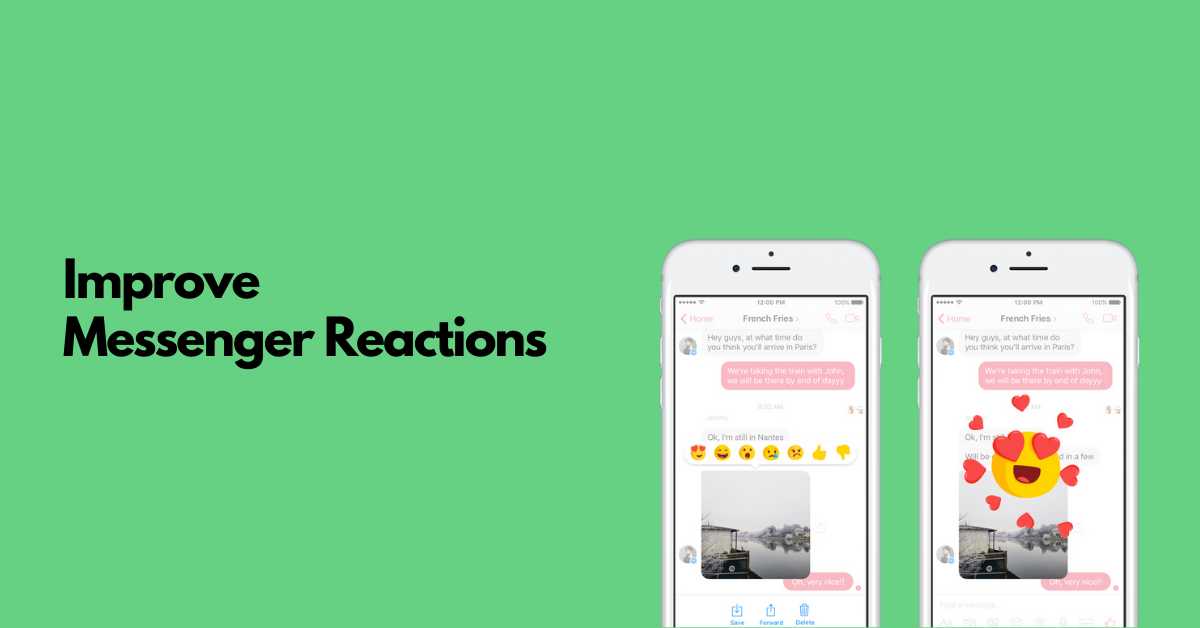
To improve the reactions feature in Messenger, we need to analyze user behavior, identify pain points, and develop innovative solutions that enhance user engagement and satisfaction. I'll approach this challenge by examining user segments, analyzing pain points, generating solutions, and proposing metrics to measure success.
Step 1
Clarifying Questions
- Why it matters: Understanding current usage helps identify if we're solving for expression limitations or interaction friction
- Expected answer: Users heavily rely on basic reactions but engagement drops for anything beyond the first row of options
- Impact on approach: Would focus on either expanding expression options or simplifying the interaction model
- Why it matters: Aligns our solution with business objectives and helps prioritize features
- Expected answer: Primary goal is increasing engagement and message response rates
- Impact on approach: Would prioritize solutions that drive conversation continuation rather than standalone expression
- Why it matters: Defines the solution space and implementation feasibility
- Expected answer: Recent platform updates enable richer animations and custom reaction creation
- Impact on approach: Would explore more dynamic, personalized reaction experiences
- Why it matters: Identifies competitive gaps and differentiation opportunities
- Expected answer: Competitors have introduced more customization and contextual reactions
- Impact on approach: Would focus on creating distinctive reaction capabilities that competitors don't offer
I'd like to take a minute to organize my thoughts before moving to the next section.
Step 2
User Segmentation
Key Stakeholders
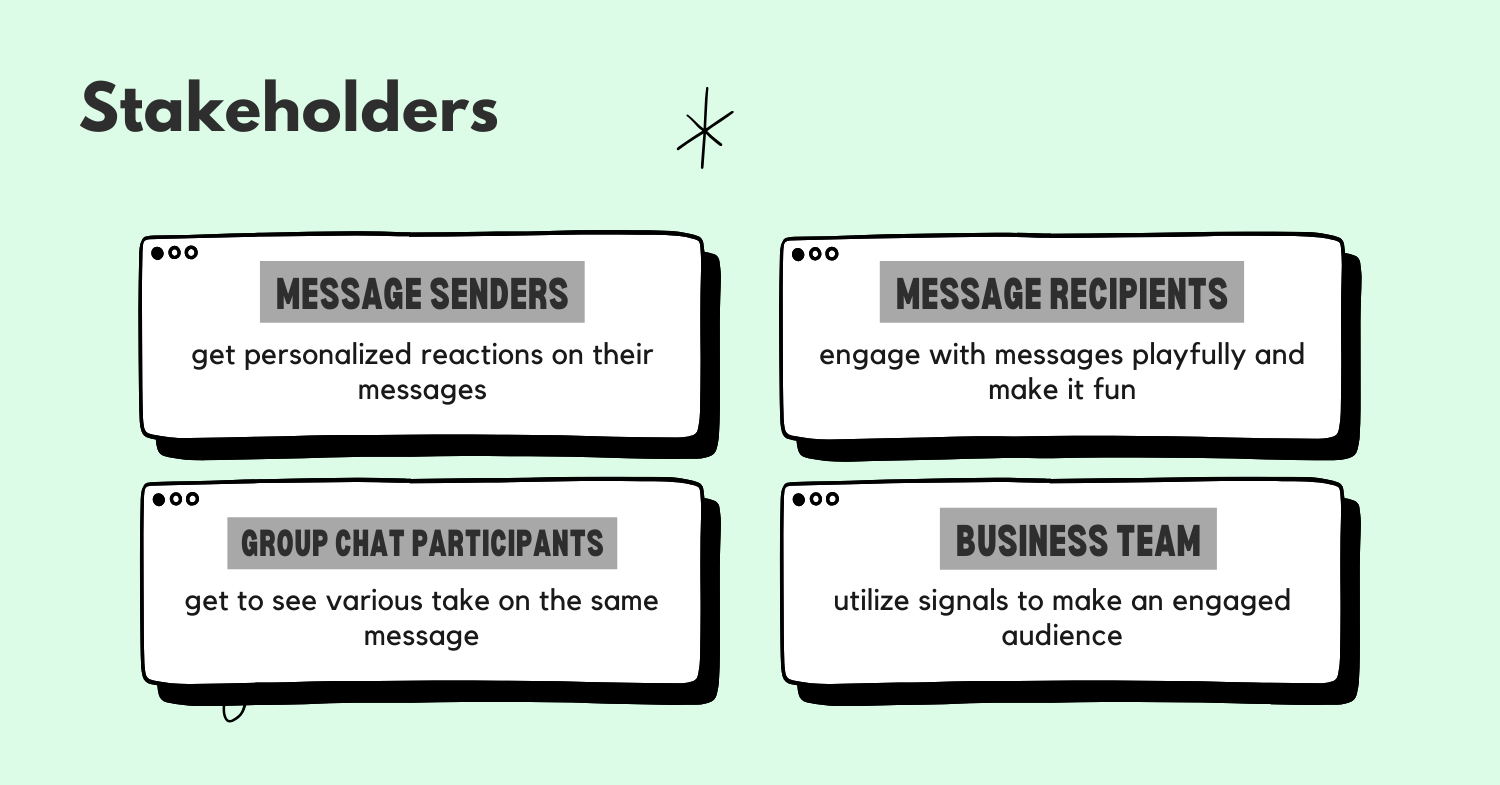
The Messenger reactions ecosystem involves several key stakeholders:
- Message senders seeking acknowledgment
- Message receivers providing reactions
- Group conversation participants
- Platform administrators managing the feature
I'll focus on message receivers as they're the primary users of the reactions feature, actively choosing when and how to react to content.
Sub-segments
Looking at message receivers, I can identify several behavioral sub-segments:
- Efficiency Reactors: Users who primarily use reactions as quick acknowledgments to avoid typing full responses
- Expressive Communicators: Users who carefully select specific reactions to convey nuanced emotions
- Social Maintainers: Users who react out of social obligation to show they've seen messages
- Conversation Starters: Users who use reactions to initiate further discussion
Prioritization Table
| Sub-Segment | TAM (1-10) | Frequency (1-10) | Engagement Potential (1-10) | Total Score |
|---|---|---|---|---|
| Efficiency Reactors | 9 | 10 | 7 | 630 |
| Expressive Communicators | 7 | 8 | 9 | 504 |
| Social Maintainers | 8 | 7 | 5 | 280 |
| Conversation Starters | 6 | 6 | 10 | 360 |
Efficiency Reactors (Score: 630): This segment represents a large portion of users (9) who frequently use reactions (10) with moderate engagement potential (7). They value speed and convenience above all.
Expressive Communicators (Score: 504): While smaller in size (7), these users react frequently (8) and have high engagement potential (9) as they care deeply about nuanced communication.
Social Maintainers (Score: 280): Despite being a sizable group (8), they react less frequently (7) and have lower engagement potential (5) as they're primarily reacting out of obligation.
Conversation Starters (Score: 360): Though smaller (6) with moderate frequency (6), they have the highest engagement potential (10) as they use reactions to spark further conversation.
Primary Persona: Efficiency Reactor
Demographics: Alex, 28, urban professional, uses Messenger across multiple devices Behaviors: Receives 50+ messages daily, responds to 80% with reactions, rarely has time for lengthy replies Motivations: Maintaining connections efficiently, acknowledging receipt without disrupting workflow Pain Points: Limited reaction options don't always convey intended meaning, reaction selection takes too many taps, can't easily customize frequently used reactions
Step 3
Pain Points Analysis
User Journey for Efficiency Reactors
- Notification Receipt: User receives message notification
- Message Review: User opens and reads message
- Reaction Decision: User decides a reaction is sufficient (vs. typing)
- Reaction Selection: User navigates reaction options
- Reaction Confirmation: User selects and confirms reaction
- Feedback Loop: User sees reaction appear and any subsequent responses
Pain Points Identified
-
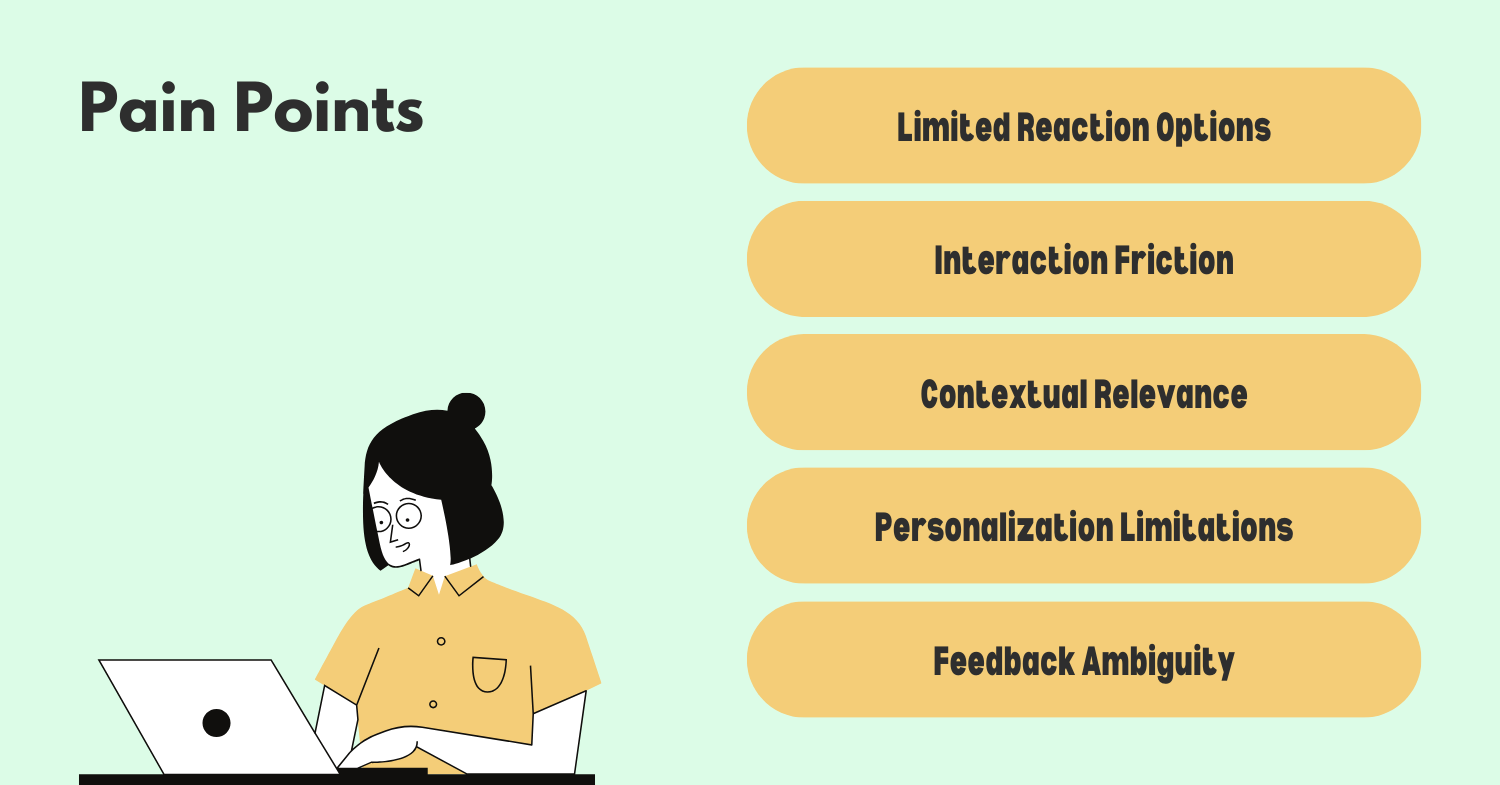
Limited Expression Options: "The standard reactions don't capture what I'm trying to say half the time." Users can't find reactions that match their intended response.
-
Interaction Friction: "It takes too many taps to find the right reaction." The selection process requires multiple steps, slowing down the efficiency reactors.
-
Contextual Relevance: "I wish reactions were more relevant to the actual conversation." Generic reactions don't always fit the specific message context.
-
Personalization Limitations: "I use the same few reactions all the time but still have to search for them." No way to prioritize frequently used reactions.
-
Feedback Ambiguity: "I'm not sure if my reaction was noticed or understood." Lack of clear feedback when reactions are seen or acknowledged.
-
Cross-Platform Inconsistency: "Reactions look different on my phone versus my laptop." Inconsistent experience across devices.
Pain Point Prioritization
| Pain Point | Severity (1-10) | Frequency (1-10) | Total Score |
|---|---|---|---|
| Limited Expression Options | 8 | 9 | 72 |
| Interaction Friction | 9 | 10 | 90 |
| Contextual Relevance | 7 | 8 | 56 |
| Personalization Limitations | 8 | 7 | 56 |
| Feedback Ambiguity | 6 | 5 | 30 |
| Cross-Platform Inconsistency | 5 | 4 | 20 |
Based on this analysis, the top three pain points to address are:
-
Interaction Friction (90): This scores highest because it directly contradicts the core need of Efficiency Reactors - quick acknowledgment. Every extra tap reduces the value proposition of reactions as a time-saving tool.
-
Limited Expression Options (72): While having fewer options theoretically simplifies choice, the inability to express the right sentiment defeats the purpose of reactions and forces users to type messages instead.
-
Contextual Relevance (56) and Personalization Limitations (56): These tied pain points reflect how the current one-size-fits-all approach fails to adapt to conversation context or individual user preferences.
These pain points have likely increased due to evolving communication patterns during the pandemic, when digital messaging became even more central to maintaining relationships, and users developed more sophisticated expectations for digital expression.
Now that we've identified the key pain points, let's take a brief moment to organize our thoughts before developing solutions.
Step 4
Solution Generation
Based on our analysis of the top pain points, I've developed several potential solutions to improve the reactions feature in Messenger:
1. Smart Reaction Shortcuts
Create an intelligent system that learns user preferences and surfaces the most relevant reactions based on:
- User's most frequently used reactions
- Message context (analyzing message content)
- Relationship with the sender
- Time of day and conversation history
Implementation would include:
- A new "quick access" row showing 3-4 predicted reactions
- Gesture shortcuts for favorite reactions (e.g., double-tap for thumbs up)
- ML model that improves predictions over time
2. Contextual Reaction Suggestions
Develop a system that analyzes message content and suggests contextually appropriate reactions:
- For congratulatory messages, suggest celebration reactions
- For questions, suggest affirmative/negative responses
- For sad news, suggest empathetic reactions
- For photos/videos, suggest visual appreciation reactions
This would include:
- NLP processing to understand message sentiment and intent
- Visual content analysis for media messages
- Subtle UI indicators showing suggested reactions
3. Reaction Creation Studio
Enable users to create and save custom reactions:
- Combine existing emojis with effects
- Upload personal photos/selfies as reaction bases
- Record micro-expressions or short animations
- Share custom reactions with friends or groups
This would include:
- A simple creation interface with templates
- Reaction collections that can be organized and shared
- Ability to set expiration dates for temporary reactions
4. Reaction Layers
Introduce a tiered approach to reactions that balances simplicity with expressiveness:
- Layer 1: Quick single-tap basic reactions (thumbs up, heart, etc.)
- Layer 2: Hold to access expanded emotion sets
- Layer 3: Specialized reactions for specific contexts (celebrations, sympathy, etc.)
This maintains efficiency while adding depth for those who need it.
Implementation Challenges
-
Technical Complexity: Implementing contextual analysis requires sophisticated NLP and may impact performance. Solution: Start with basic pattern matching and gradually introduce more complex analysis as models improve.
-
User Adoption: New interaction patterns might confuse existing users. Solution: Introduce changes gradually with clear onboarding and tooltips highlighting new capabilities.
-
Storage and Bandwidth: Custom reactions could significantly increase storage requirements. Solution: Implement compression algorithms and size limitations for custom reactions.
-
Privacy Concerns: Message analysis for contextual suggestions raises privacy questions. Solution: Ensure all processing happens on-device and make the feature opt-in with clear privacy controls.
Moonshot Idea: Ambient Reactions
Looking further ahead, I envision "Ambient Reactions" - a system that uses device sensors to detect the user's real-time emotional response to messages and suggests or even automatically sends appropriate reactions:
- Facial expression analysis via front camera
- Voice tone analysis when reading messages aloud
- Heart rate changes from wearable devices
- Typing patterns and hesitations
This would create an incredibly natural reaction flow that requires minimal user effort while maximizing emotional connection.
Step 5
Solution Evaluation and Prioritization
Let's evaluate our proposed solutions using the RICE framework:
| Solution | Reach (1-10) | Impact (1-10) | Confidence (0.1-1.0) | Effort (1-10) | RICE Score |
|---|---|---|---|---|---|
| Smart Reaction Shortcuts | 9 | 8 | 0.8 | 5 | 11.5 |
| Contextual Reaction Suggestions | 8 | 7 | 0.7 | 7 | 5.6 |
| Reaction Creation Studio | 6 | 9 | 0.6 | 8 | 4.1 |
| Reaction Layers | 10 | 7 | 0.9 | 4 | 15.8 |
| Ambient Reactions | 7 | 10 | 0.3 | 10 | 2.1 |
Smart Reaction Shortcuts (11.5): High reach as it benefits all users, strong impact on efficiency, good confidence based on existing ML capabilities, moderate effort to implement.
Reaction Layers (15.8): Highest reach as it improves the core interaction model for all users, good impact on both efficiency and expressiveness, very high confidence in the approach, relatively low effort as it's primarily a UI change.
Contextual Reaction Suggestions (5.6): Good reach, moderate impact, medium confidence due to NLP challenges, higher effort to implement effectively.
Reaction Creation Studio (4.1): Lower reach as it primarily appeals to expressive users, high impact for those users, lower confidence about adoption rates, high effort to build creation tools.
Ambient Reactions (2.1): Moderate reach, highest potential impact, very low confidence due to technical uncertainty, extremely high effort to implement.
Implementation Roadmap
Based on this analysis, I recommend the following implementation roadmap:
-
Phase 1 (0-3 months): Implement Reaction Layers to immediately address interaction friction while setting the foundation for future enhancements.
-
Phase 2 (3-6 months): Add Smart Reaction Shortcuts to further reduce friction and begin personalizing the experience.
-
Phase 3 (6-12 months): Introduce Contextual Reaction Suggestions to enhance relevance and expression capabilities.
-
Phase 4 (12+ months): Develop Reaction Creation Studio for power users and those seeking deeper personalization.
-
Research Track: Begin exploratory research on Ambient Reactions as a long-term innovation project.
This approach balances quick wins with strategic long-term improvements, addressing our key pain points while managing implementation complexity.
Step 6
Metrics and Measurement
To evaluate the success of our improvements, I propose the following metrics:
Primary Metrics
- Reaction Usage Rate: Percentage of messages that receive reactions (target: 15% increase)
- Reaction Selection Time: Average time from message view to reaction selection (target: 30% decrease)
- Reaction Diversity: Distribution of different reaction types used (target: 25% increase in variety)
Secondary Metrics
- Conversation Continuation Rate: Percentage of conversations that continue after a reaction is used
- Cross-Platform Consistency: User satisfaction scores regarding reactions across devices
- Custom Reaction Adoption: Percentage of users creating and using custom reactions
Guardrail Metrics
- Message Response Rate: Ensure text responses don't decrease as reaction usage increases
- App Performance: Monitor any impact on app load time or performance
- User Satisfaction: Track overall satisfaction with the messaging experience
For target setting, I would establish baselines for all metrics, then set ambitious but achievable goals based on expected impact. We would track these metrics through A/B testing during rollout, with regular reviews to adjust our approach as needed.
Step 7
Summary and Next Steps
To improve Messenger's reactions feature, I've focused on addressing the needs of Efficiency Reactors who value quick acknowledgment but face interaction friction and limited expression options.
The key pain points identified were:
- Interaction friction requiring too many taps
- Limited expression options that don't match user intent
- Lack of contextual relevance and personalization
My prioritized solutions address these issues through:
- Reaction Layers - creating a tiered approach that balances simplicity with expressiveness
- Smart Reaction Shortcuts - using ML to predict and surface the most relevant reactions
- Contextual Reaction Suggestions - analyzing message content to offer appropriate options
These improvements align with Messenger's goals of increasing engagement and message response rates while creating a more personalized, efficient experience.
Success will be measured primarily through reaction usage rate, selection time, and diversity, with careful monitoring of conversation continuation and overall satisfaction.
Next steps would include:
- Validating these hypotheses through user research
- Creating low-fidelity prototypes for initial testing
- Developing an A/B testing plan for phased rollout
- Establishing baseline metrics for measuring impact
.png)